Introducing Zerply MCP

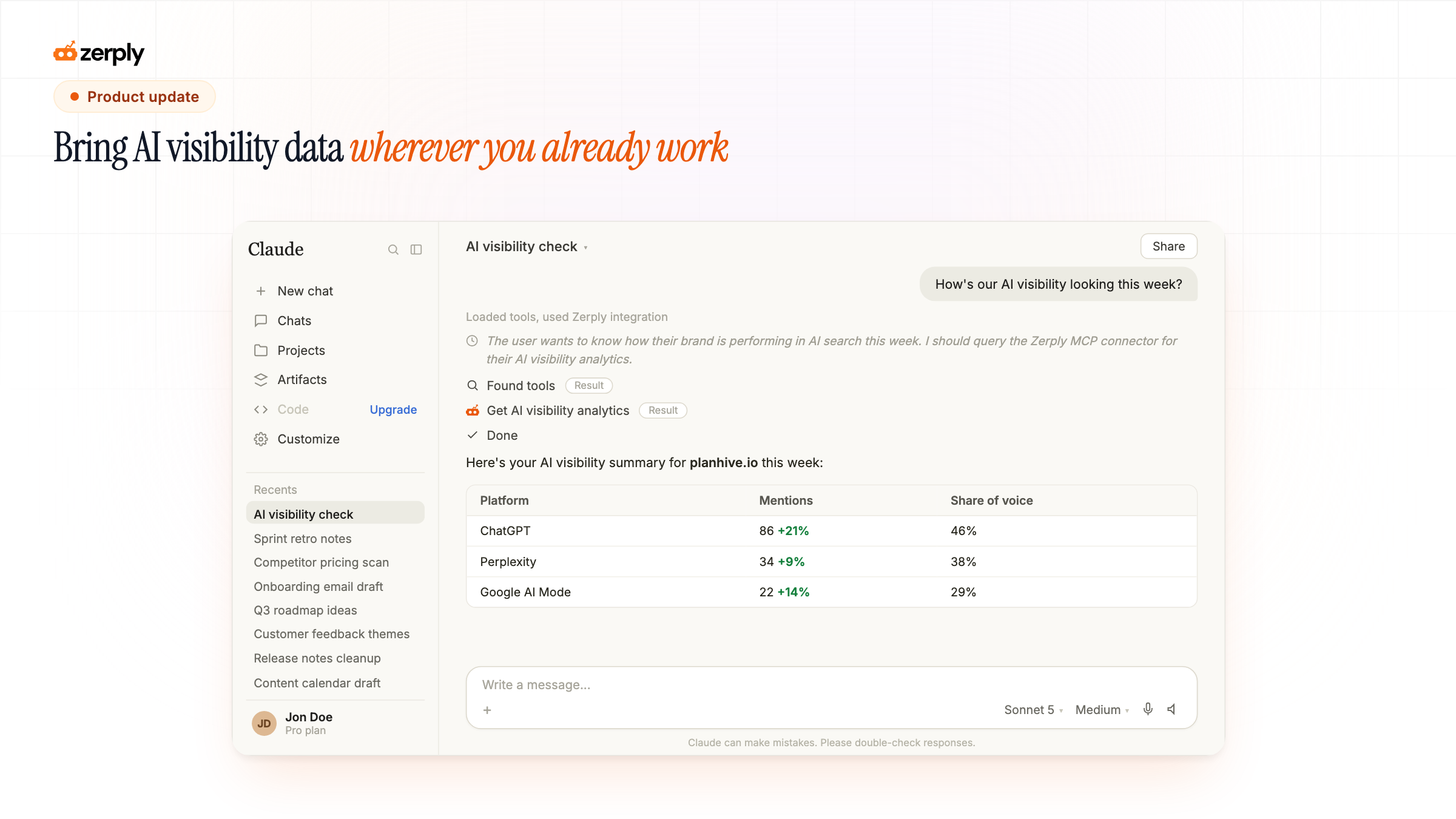
You already have a place you get work done. Maybe that's Claude, maybe it's Cursor, maybe it's a reporting stack you built for clients. Now checking whether your brand shows up in ChatGPT or Perplexity can happen right there too.
Meeting you where you already work
If you run AI visibility for clients or maintain your own reporting workflow, you're probably already scripting against Search Console data, building client decks in Claude, or automating weekly reports in Cursor. Zerply's mentions, share of voice, and crawler data used to mean a trip to our dashboard first. Now that data can come straight to you.
Zerply's data now speaks MCP
Zerply ships an MCP (Model Context Protocol) server. Connect it once from Settings, and Claude, Cursor, or any MCP-compatible client can query your AI visibility data directly, no exporting, no copy-pasting into a separate deck. Full setup details are in our MCP docs.
This doesn't replace the AI assistant inside Zerply. It extends Zerply into the parts of your workflow that already live somewhere else: a client report, a custom script, an internal tool you're not about to rebuild.
We've also published a set of agent skills so agents working across your stack know exactly how to use Zerply's data and content tools out of the box.
What you can do now
- Pull AI visibility on demand: Query mentions, share of voice, and competitor comparisons by prompt or platform, right from Claude or Cursor.
- Track AI crawler traffic: See which bots, GPTBot, ClaudeBot, PerplexityBot, and more, are actually hitting your site, without opening a tab.
- Build client reports faster: Pull the numbers straight into whatever tool you already use to put reports together.
- Manage content from the same connection: Read and update blogs and landing pages too, so a script or agent can draft, publish, or update a page on your behalf.
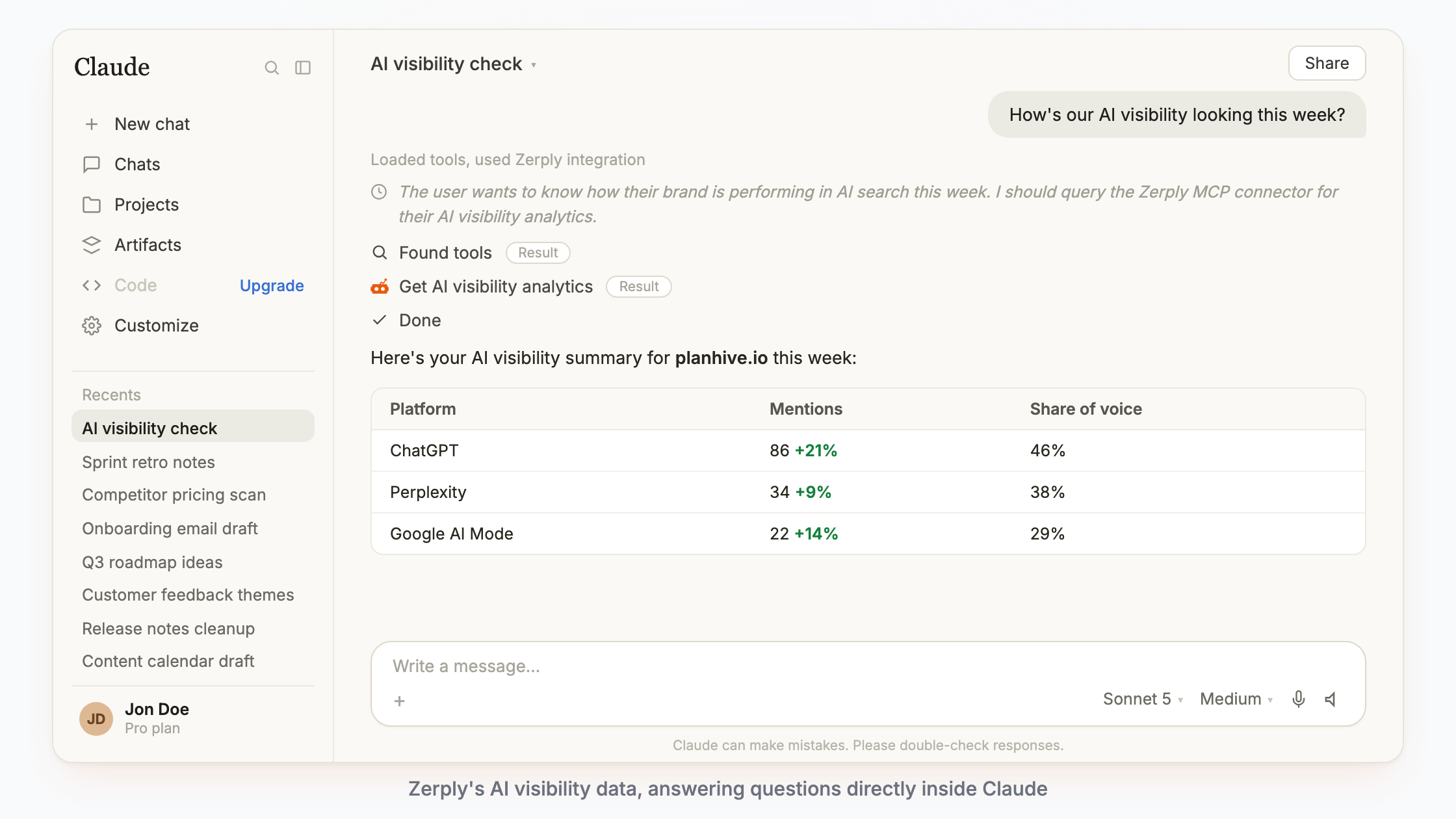
We also added Claude Sonnet 5 and Claude Fable 5 to the model picker in Zerply's own chat, if you'd rather stay in-app for the day-to-day.
Try it now
Connect an MCP client from Settings, then point Claude, Cursor, or your own setup at your Zerply account. Check the docs and available agent skills to get the most out of it.
Written by
Founder, Zerply.ai & Wittypen
Preetesh Jain is the Founder of Zerply.ai and Wittypen. He specializes in SEO, Answer Engine Optimization (AEO), AI search visibility, content marketing, and product development. Through his work building AI-powered marketing platforms, he helps businesses improve their organic presence across Google, ChatGPT, Perplexity, Claude, and other emerging discovery channels. He regularly writes about AI search, organic growth, content strategy, and the future of digital marketing.