How To Use Google’s New Platform Properties To Turn Social Posts Into SEO Wins

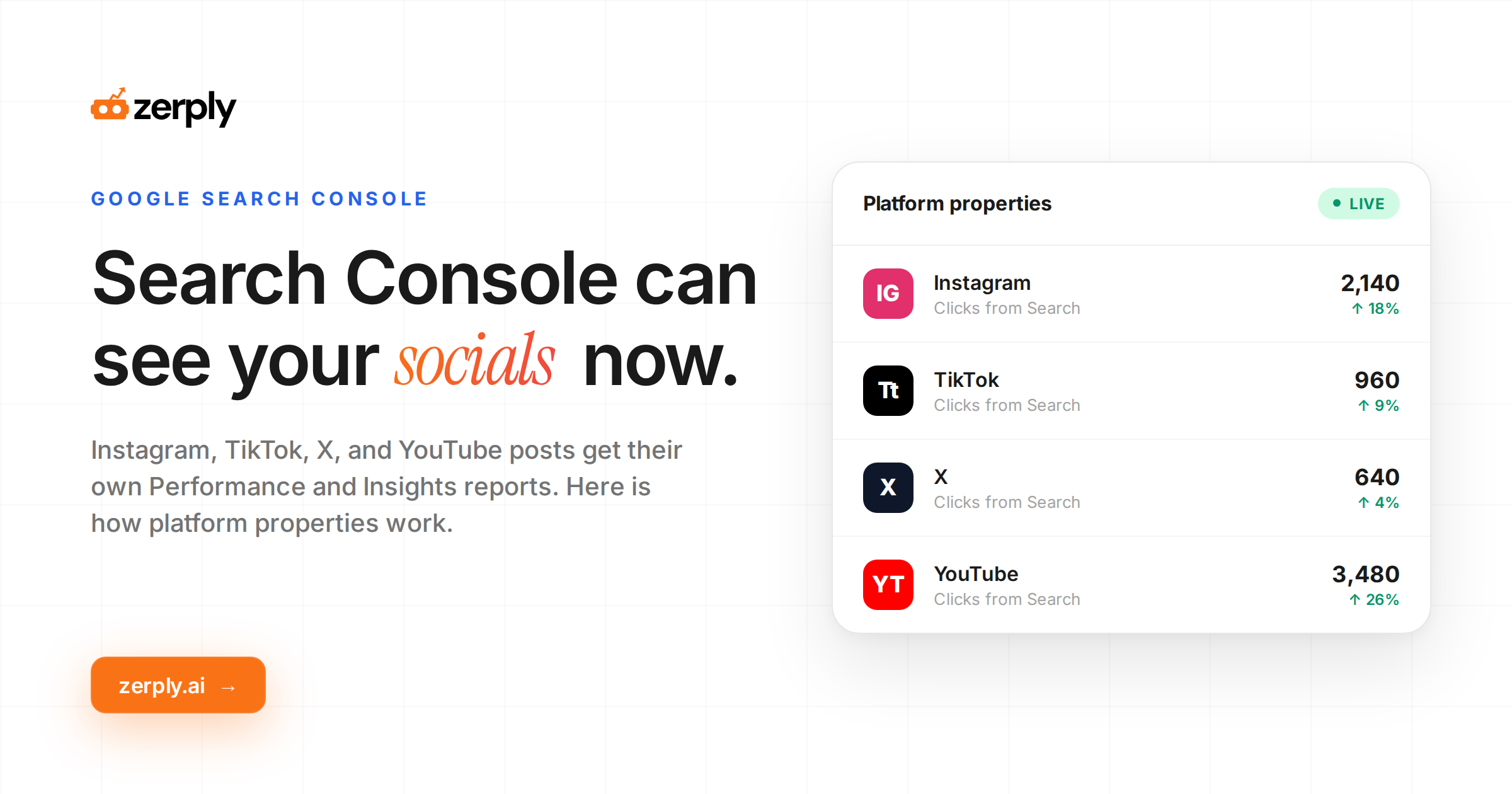
Google has launched platform properties in Search Console, giving marketers a way to measure how Instagram, TikTok, X, and YouTube content performs on Google Search and Discover.
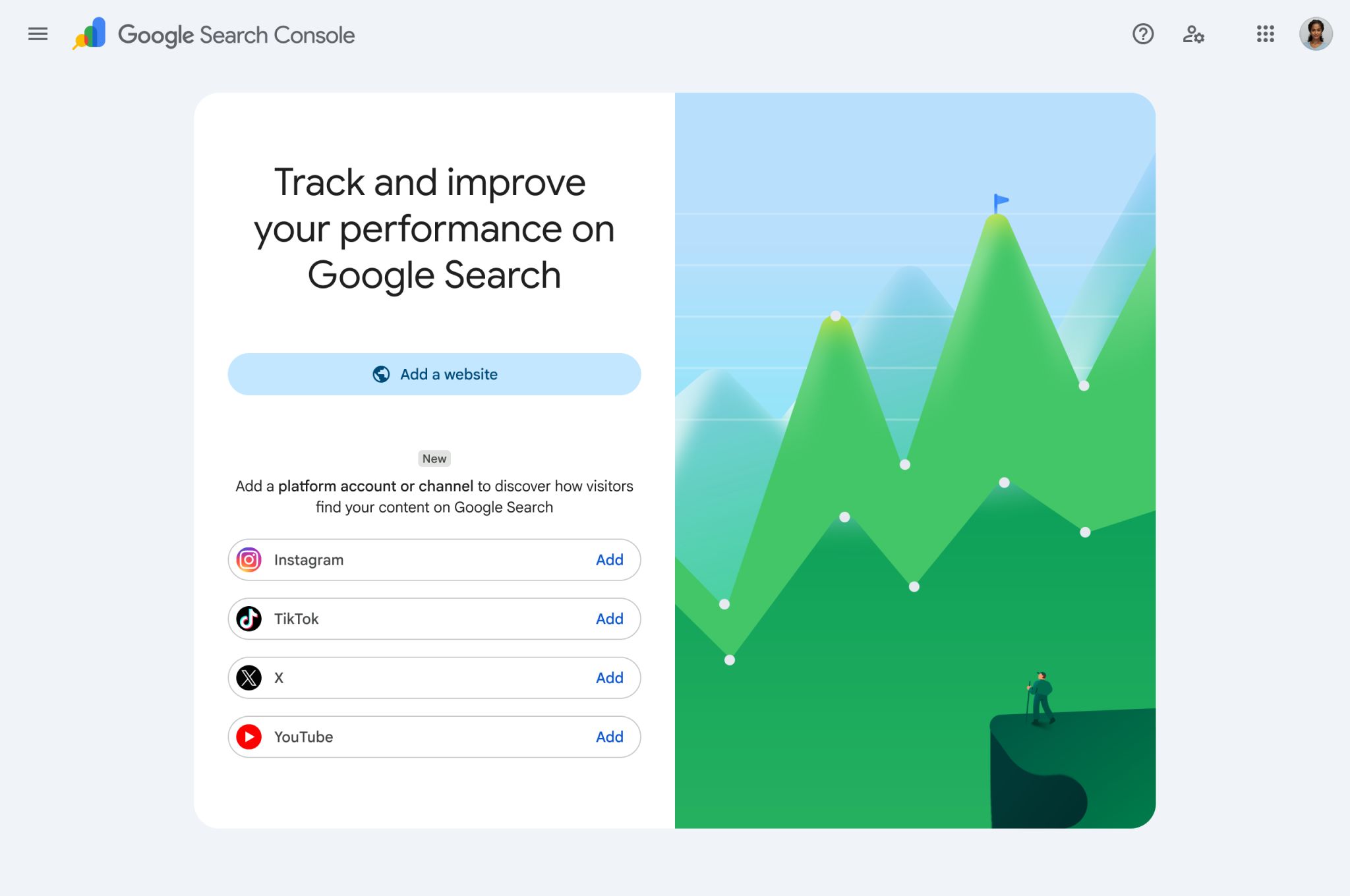
Social posts have appeared in Google results for years, yet marketers often had to infer which searches helped people find those assets. Platform properties bring that data closer to the same workflow used for owned website analysis.
What changed
Platform properties are a new Search Console property type for social and video accounts. Google says verified accounts can access the Performance report, Insights report, and Achievements.
The Performance report is the key feature for SEO work. It shows clicks, impressions, and related search data, so teams can understand which queries lead people to specific social or video posts. The Insights report gives a higher level view of recent trends and top content. Achievements can help track growth milestones, although it is less important for strategy.
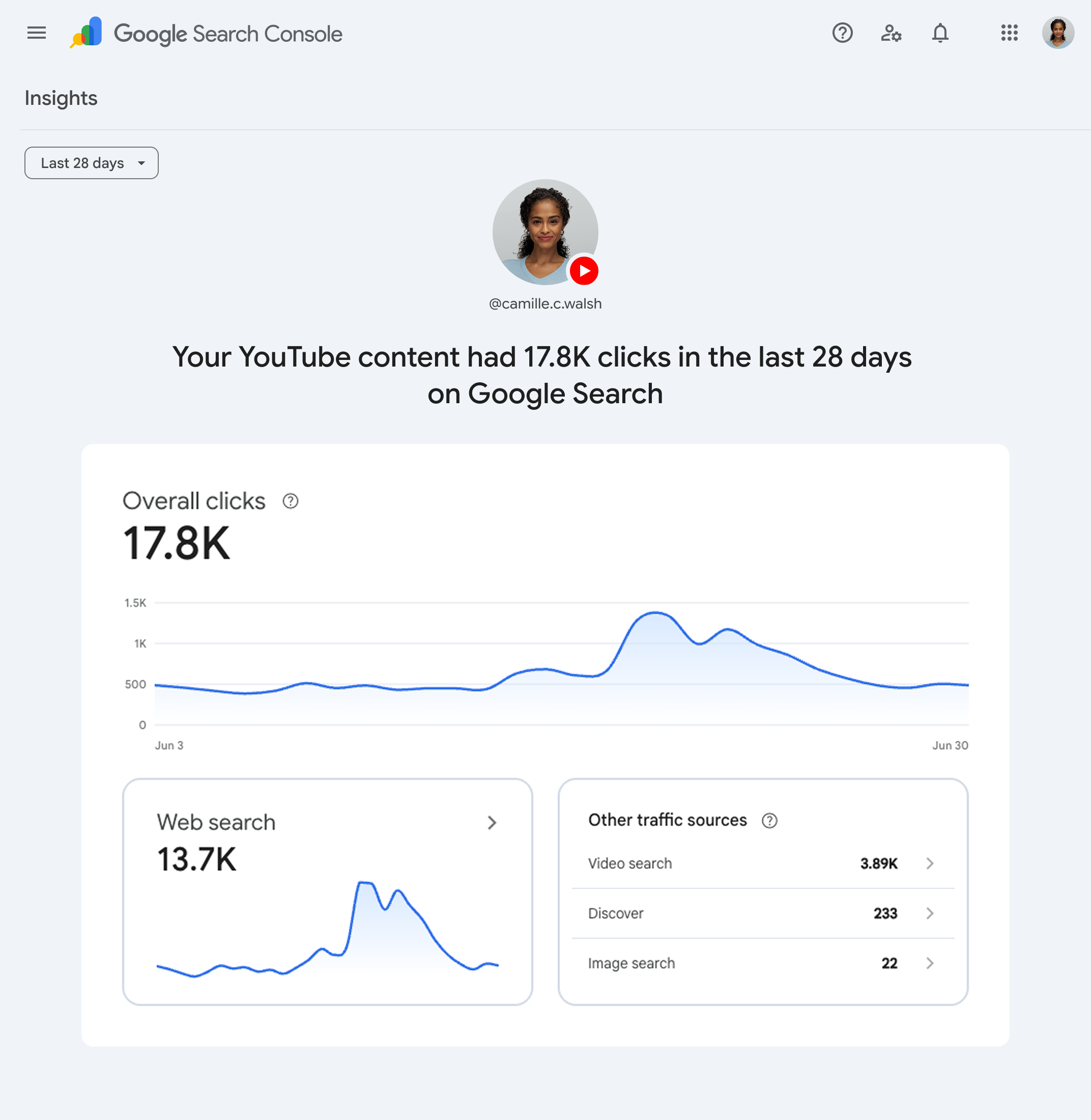
The feature is rolling out gradually, so some accounts may not see it right away.
Why marketers should care
The main value is query visibility.
- A YouTube video may already be earning impressions for a product category.
- A TikTok post may be appearing for a how-to query.
- An Instagram post may be getting discovered through branded search.
Before this update, those signals were hard to separate from native social analytics.
This helps SEO and social teams work from the same evidence. Search teams can use social search data to find content gaps. Social teams can use Google query data to improve titles, captions, thumbnails, descriptions, and post structure, while creators can create videos with AI when a topic has enough search demand to justify producing a dedicated video asset.
Content leaders can decide when a social asset should become a full landing page, blog post, comparison page, or FAQ section.
For AEO planning, the update is also useful because AI visibility work depends on consistent topic coverage across formats. When a query gains traction through a social post, that can point to a broader entity or intent opportunity that deserves coverage on your website too, especially if a competitor AI visibility check shows they already own that topic in AI answers.
How setup works
Open Google Search Console and use the property selector to add a new property. When platform properties are available in your account, choose one of the supported platforms: Instagram, TikTok, X, or YouTube. Google then guides you through a secure verification flow to confirm access to that account.
After verification, start with the Performance report. Review queries, clicks, impressions, and the posts receiving search visibility. Then use the Insights report to understand recent movement and top performing content. Export the data when you need deeper analysis or want to combine it with other reporting sources.
Agencies and multi-brand teams should document ownership, access, and naming conventions from the start. Search Console supports up to 1,000 properties in an account, which makes organization important for client environments.
What to analyze first
Platform property data is only useful if you know where to look first. Start by prioritizing queries and posts that already show traction, then decide which deserve better packaging or a stronger destination on your site.
- Prioritize non-branded demand: Start with non-branded queries that already generate impressions. When a query has commercial or strategic value, create or improve a dedicated page that matches the same intent and offers a stronger conversion path.
- Fix weak clickthrough assets: Review high-impression posts with low CTR. Improve titles, thumbnails, opening frames, descriptions, and captions so the visible social asset mirrors the language people use in Google Search.
- Protect your brand terms: Examine branded queries for company, product, and founder names, plus comparisons. Make sure the posts ranking for these terms reinforce your current positioning instead of surfacing outdated or off-message content.
- Match format to intent: Compare whether each query is better served by video, a guide, a product page, or a structured answer.
Use platform property data to decide where social should lead and where owned content should take over.
How Zerply helps
Search Console provides the performance data. Zerply helps turn that data into SEO and AEO planning.
With Zerply’s Google Search Console connector, teams can pull relevant query and performance signals into a workflow built for research, content planning, drafting, publishing, and AI visibility tracking. That matters because platform properties add another source of organic search insight. Without a connected workflow, the data can sit in reports without changing what gets published.
A practical example is a YouTube video gaining impressions for a high-intent query. In Zerply, that signal can inform a new content brief, target keyword selection, internal linking plan, schema recommendations, and AI visibility strategy. The same logic applies to Instagram, TikTok, and X content that starts appearing for relevant searches.
This is the strongest way to use the update. Treat platform property data as an early demand signal, then use Zerply to decide which topics deserve deeper SEO and AEO investment.
Google Search Console platform properties give marketers a clearer way to measure how social content performs in Google Search. The real value comes from what happens next.
Use the data to find search demand, improve social assets, protect branded results, and decide which topics deserve owned content. With Zerply’s GSC connector, those signals can move directly into SEO and AEO planning, making the update useful beyond reporting.
FAQ
What are Google Search Console platform properties and how do they work?
Google Search Console platform properties are a property type for social and video accounts. Once verified, they let you see how your Instagram, TikTok, X, and YouTube content performs in Google Search and Discover. You can view clicks, impressions, queries, and landing posts so you know which searches are driving visibility and traffic for specific social assets.
Which reports are available for platform properties in Google Search Console?
Platform properties currently support the Performance report, Insights report, and Achievements. The Performance report is usually the most useful for SEO and AEO work because it shows query data, clicks, impressions, and top posts. The Insights report gives a higher level view of recent trends and content, while Achievements help track growth milestones.
Do Google Search Console platform properties track internal search on TikTok, Instagram, X, or YouTube?
No. Platform properties only report how your social and video content appears in Google Search and Google Discover. They do not track internal searches or recommendations inside TikTok, Instagram, X, or YouTube. For that data you still need each platform’s native analytics.
How do I track TikTok performance in Google Search using platform properties in Search Console?
To track TikTok visibility in Google Search, add TikTok as a platform property in Google Search Console when the feature is available in your account. Verify the TikTok account through Google’s guided flow. After verification, use the Performance report to see which Google queries show your TikTok posts, how many impressions they get, and which videos earn clicks from Search and Discover.
How do I connect my Instagram account as a platform property in Google Search Console?
You can connect Instagram by adding a new platform property in Search Console and selecting Instagram as the platform. Follow Google’s verification process with the Instagram account you manage. Once verified, you will see Performance and Insights data for Instagram posts that appear in Google Search and Discover, including queries, impressions, clicks, and top performing content.
How can I track YouTube performance in Google Search and Discover with platform properties?
YouTube can be added as a platform property so you can see which Google queries surface your YouTube videos. After verifying your YouTube account in Search Console, the Performance report will show impressions, clicks, and queries for each video that appears in Google Search or Discover. This makes it easier to spot high intent topics where a video is already getting traction and may deserve a stronger landing page or supporting content.
Is X supported as a platform property in Google Search Console?
Yes. X is one of the four platforms currently supported for platform properties in Google Search Console. Once you verify your X account, you can see which Google queries show your posts, how often they appear, and how many clicks they get from Search and Discover.
Are Google Search Console platform properties available to all accounts?
Not yet. Google is rolling out platform properties gradually. Some accounts already see the option to add Instagram, TikTok, X, and YouTube properties while others will gain access over the coming weeks. If you do not see platform properties in your property selector, you likely need to wait for the rollout to reach your account.
Can agencies manage multiple social accounts using platform properties in Google Search Console?
Yes. Agencies and multi brand teams can manage many different social and video accounts as separate platform properties. Search Console supports up to 1,000 properties per account, which is usually enough for large client portfolios. The key is to keep naming, ownership, and access management organized from the start so teams know which property maps to which brand and platform.
Can I export platform property Performance report data from Google Search Console?
Yes. Google lets you export Performance report data for platform properties in the same way you export data for website properties. You can download the data or send it to connected tools so you can combine social search performance with broader SEO and AEO reporting, build dashboards, or feed it into planning workflows.
How are platform properties in Google Search Console different from GA4 tracking?
Platform properties show how social and video assets appear in Google Search and Discover. They answer questions like which queries surface your TikTok posts or YouTube videos and how many clicks they drive. GA4 measures what users do after they land on your website or app. It does not replace platform properties or vice versa. The two datasets are complementary. One helps you understand search visibility and demand signals while the other helps you understand on site behavior and conversion.
How should Zerply users use platform properties data for SEO and AEO planning?
Zerply users should connect their Google Search Console data, pull in platform property signals, and focus on rising social search queries. When a TikTok, Instagram post, X thread, or YouTube video earns impressions for a high intent query, treat that as early proof of demand. Use Zerply to turn those signals into briefs, keyword targets, internal linking plans, schema recommendations, and AI visibility strategies. The biggest wins usually come from topics where social content ranks first and the website still lacks a complete SEO or AEO asset.
Written by
Founder at Zerply.ai & Wittypen
Anshul is the founder of Zerply.ai and previously built Wittypen, a content marketplace powering SEO growth for 1,000+ businesses. Over the last decade he has worked hands-on with B2B SaaS and tech teams to turn search data into compounding organic growth. At Zerply he shares practical playbooks on AEO, AI visibility, and modern SEO that come directly from experiments, wins, and failures in real projects.