Introducing Google Analytics 4 in Zerply

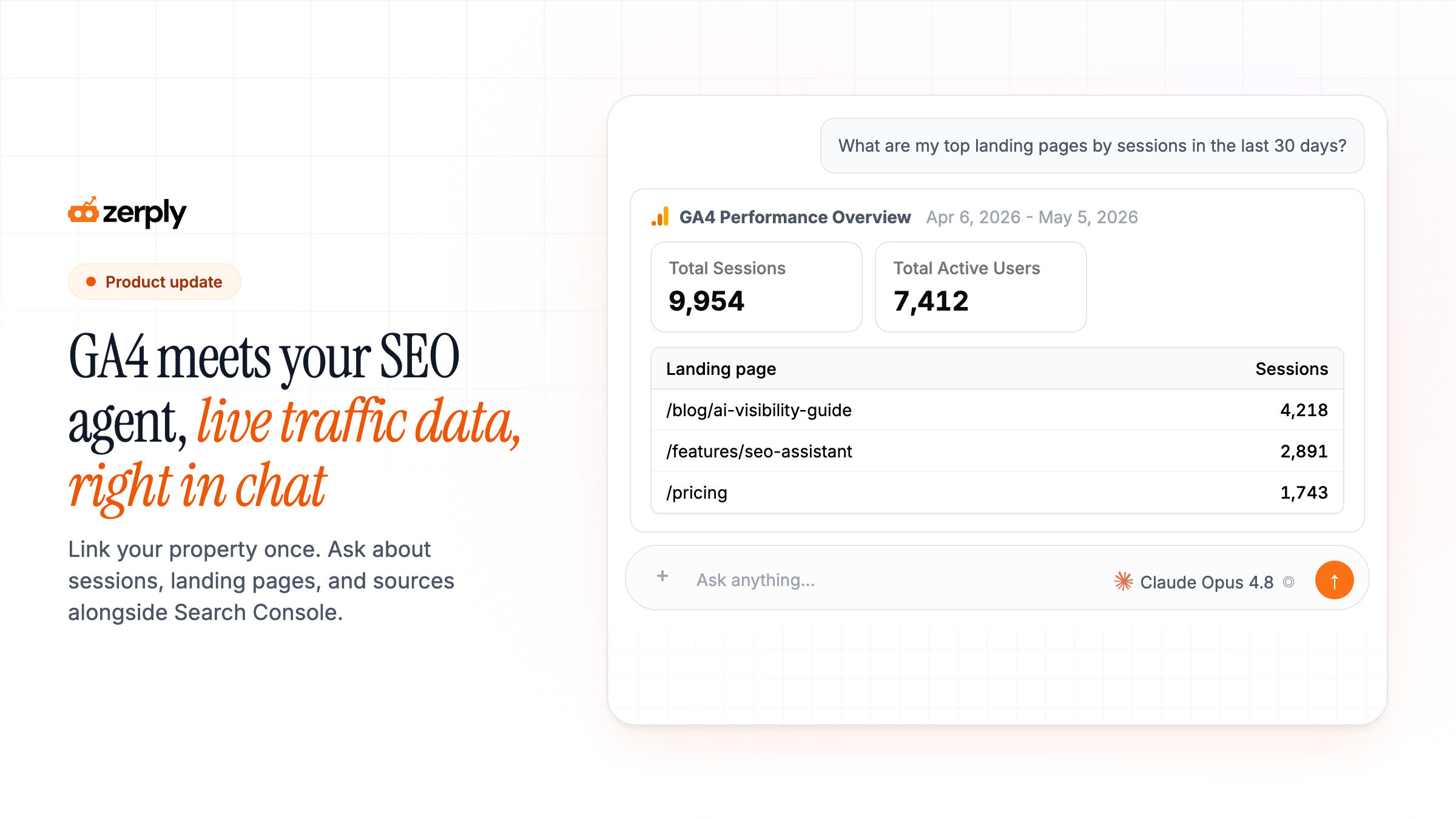
When someone asks which landing pages drove sessions last month, the data lives in GA4. The slow part is everything around it: another tab, a custom report, an export, then paste into the doc or thread where you were already working.
Zerply connects your GA4 property so you ask in chat, beside Search Console and AI visibility, without that loop.
The problem
Traffic questions rarely stop at one dataset. You need Search Console for clicks and rankings, GA4 for sessions and conversions, maybe AI visibility for whether a page shows up in ChatGPT answers, then keyword or competitor context on top.
Today that means five tabs, five exports, and you stitching the story together in a spreadsheet before you can recommend what to fix.
That loop eats time you do not have. The backlog does not clear when every question starts with opening another tool.
Google Analytics in your SEO assistant
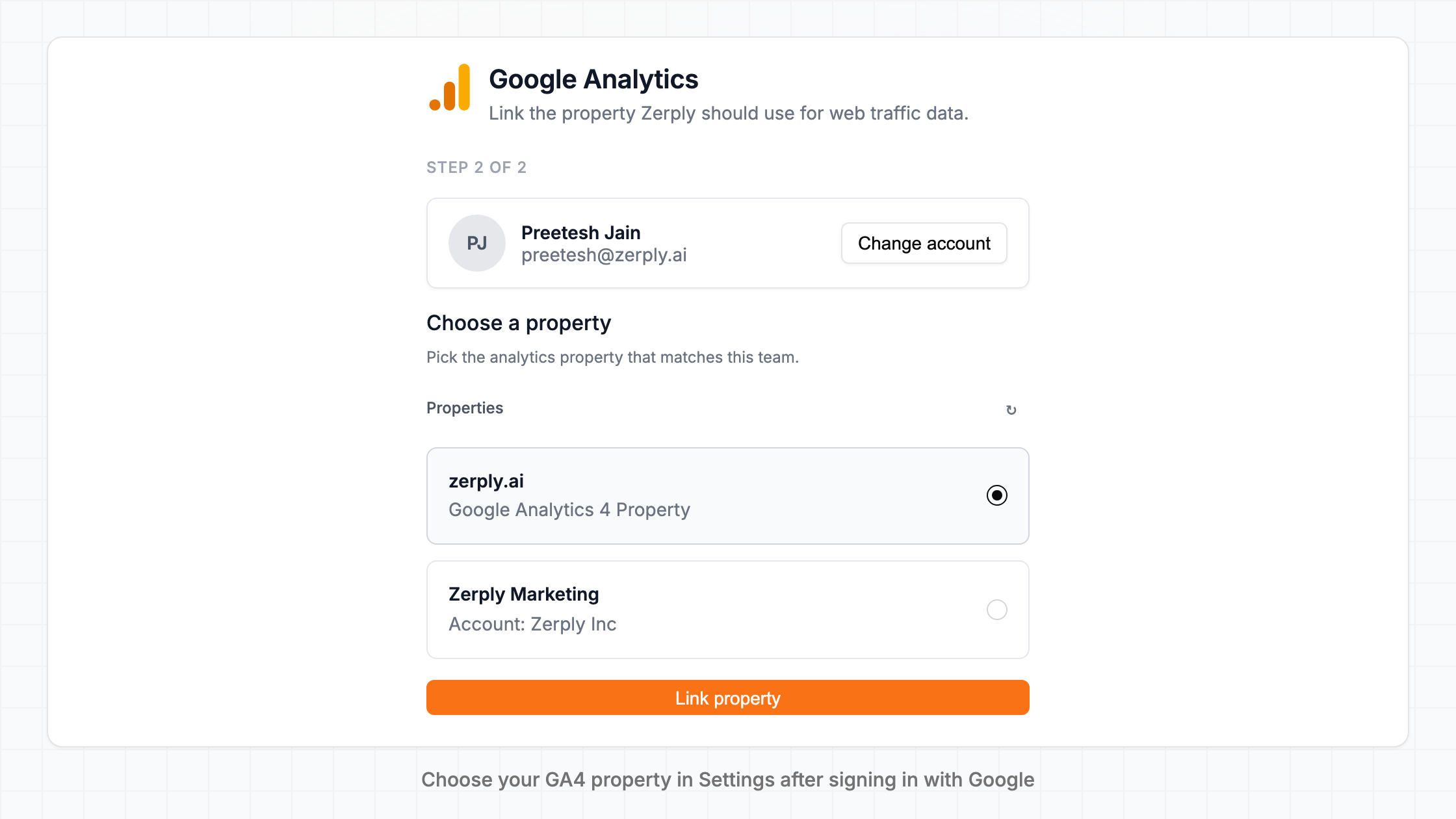
You can now connect a Google Analytics 4 property to Zerply in two steps: sign in with Google, then pick the property that matches your team. Zerply requests read-only access. No property ID guesswork.
Once linked, ask traffic questions in chat. The agent pulls live data from your connected property: sessions, landing pages, sources, engagement, conversions, and more. Results show in the thread as readable tables, the same way Search Console and AI visibility results already do.
We also expanded the model picker in chat. Choose Claude Opus 4.8, Gemini 3.5 Flash, GPT-5.5, and other frontier models per task, including reasoning modes when you want more depth on a multi-step question.
One thread, many sources
This is the part I care about most.
Zerply chat does not treat GA4 as a standalone report. The agent works in cycles: pull data from one source, read what it found, then decide what to check next. In a single conversation it can move across the tools you already use in the product:
- Search Console for top pages, queries, rising or dropping URLs
- GA4 for sessions, landing pages, sources, engagement, conversions
- AI visibility for mentions and share of voice across ChatGPT, Claude, Gemini, and more
- Keyword and competitor research for gaps, rankings, and SERP context
- On-page and PageSpeed audits when the data points to a page that needs a technical fix
- Web search and crawl when it needs fresh context on a competitor or topic
GA4 fills the gap Search Console cannot: what visitors did after they landed. GSC tells you a page earned clicks. GA4 tells you whether those clicks turned into engaged sessions or conversions. AI visibility tells you whether AI platforms cite you. Together they answer "is this actually working?" without you merging CSVs by hand.
Examples worth trying
Ask one question and let the agent chain what it needs:
GSC + GA4: "Which pages gained clicks in Search Console last month but lost sessions in GA4?"
Rankings + traffic: "Show rising queries in GSC for /pricing, then pull GA4 sessions and conversions for that page."
AI visibility + traffic: "Are we cited for prompts about AI SEO tools, and which landing pages are actually getting traffic from organic search?"
Competitor + your site: "Who ranks for our target keyword, and how do our landing page sessions compare to last month?"
The agent sees the full results from each step (not just a summary card), reasons across them, and gives you one answer in plain language. That is the same multi-turn workflow Zerply already used for competitor and keyword research. GA4 is now part of it.
What you can do now
- Connect GA4 once: Settings → Google Analytics, sign in with Google, pick your property.
- Ask traffic in chat: Sessions, landing pages, sources, and conversions beside GSC in the same thread.
- Correlate: One question can span Search Console, GA4, AI visibility, and research tools.
- Pick your model: Opus 4.8, Gemini 3.5 Flash, GPT-5.5, and reasoning modes when the question needs complex thinking.
Try it now
Start your free trial, then open Settings → Google Analytics to link your property.
Link GA4 first, then try a correlated question in chat: "Which pages gained GSC clicks last month, and how did GA4 sessions on those pages change?"
Written by
Founder, Zerply.ai & Wittypen
Preetesh Jain is the Founder of Zerply.ai and Wittypen. He specializes in SEO, Answer Engine Optimization (AEO), AI search visibility, content marketing, and product development. Through his work building AI-powered marketing platforms, he helps businesses improve their organic presence across Google, ChatGPT, Perplexity, Claude, and other emerging discovery channels. He regularly writes about AI search, organic growth, content strategy, and the future of digital marketing.