GPTBot vs OAI-SearchBot vs ChatGPT-User: What Each One Does and How to Control It

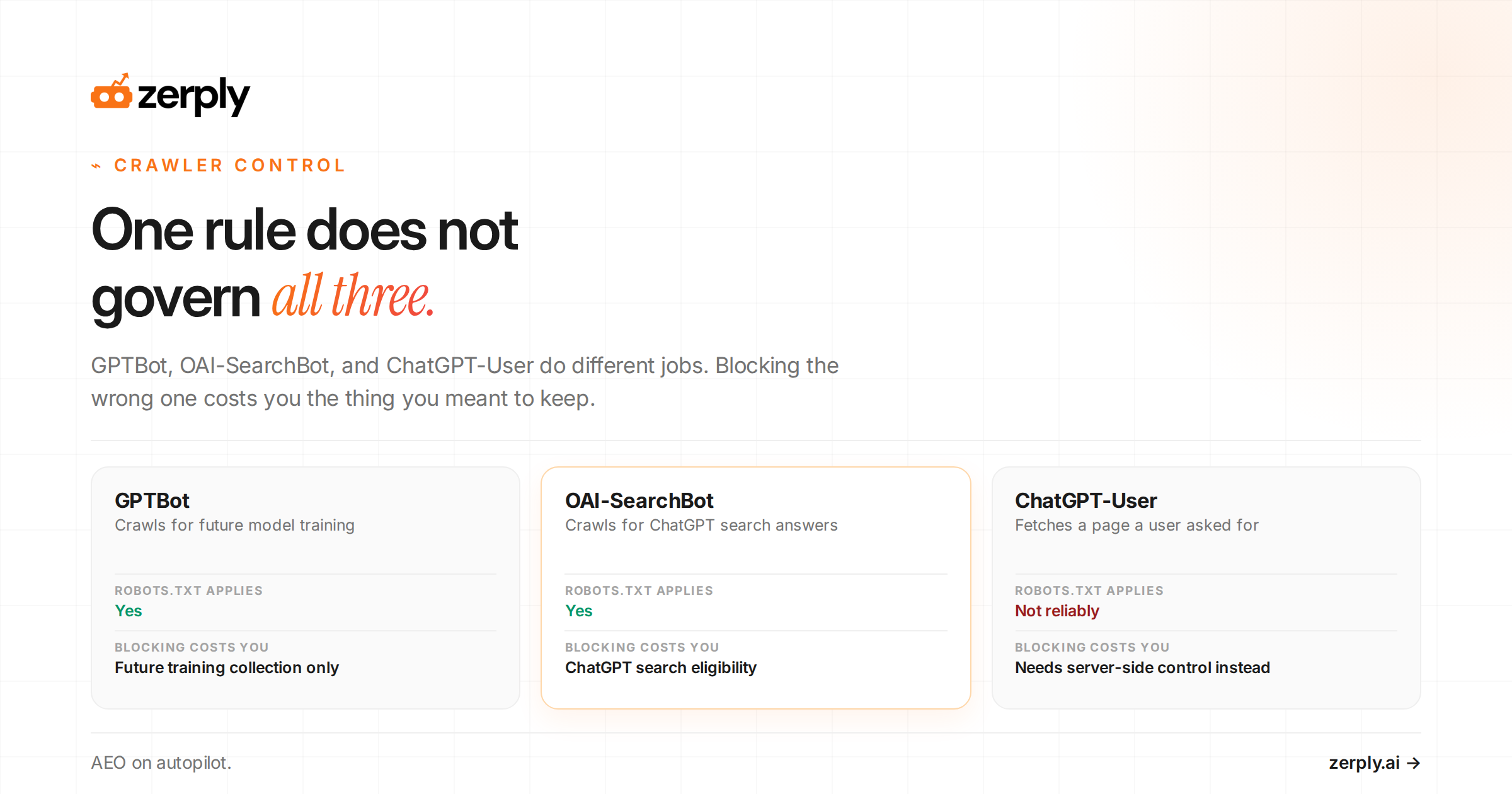
If you are comparing GPTBot vs OAI-SearchBot, the practical difference is simple. GPTBot affects future training collection. OAI-SearchBot affects whether your pages can appear in ChatGPT search. ChatGPT-User sits outside that choice because it reflects user-triggered fetches.
Many teams block the first OpenAI bot they recognize and pay the wrong price. They disallow GPTBot and assume they opted out of AI, even though OAI-SearchBot can still keep them visible in ChatGPT search. Or they block OAI-SearchBot, lose answer eligibility, and do nothing to change content already collected before the block.
A user agent is the identifier a bot sends with its request so your server can classify the traffic. A robots.txt file is the rule file at the root of your domain that asks compliant crawlers what they may fetch. OpenAI’s current crawler guidance says GPTBot, OAI-SearchBot, and ChatGPT-User serve different roles, which is why each one needs its own policy decision.
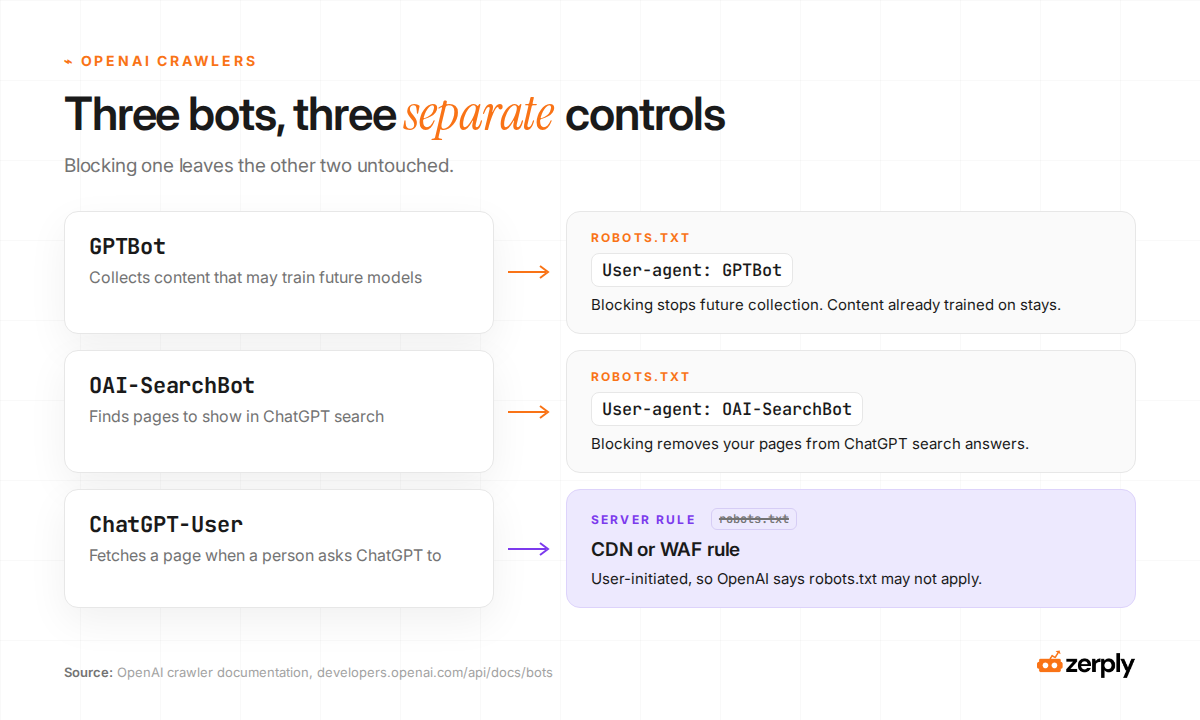
What is GPTBot, and what happens if you block it?
GPTBot is OpenAI’s crawler for content that may be used for future foundation model training, according to OpenAI’s crawler documentation.
If you block GPTBot in robots.txt, you are declining future collection for that training use. That is control, yes, and for some sites it is the right one. A publisher with licensed content, a SaaS company with sensitive docs, or a team trying to limit reuse may decide that cost is worth paying.
What you do not get is a rewind button. Blocking GPTBot does not remove content from models that were already trained before the block. It only changes future collection.
So the cost of blocking GPTBot is simple. You reduce future training access, but you also give up the chance that future OpenAI models learn from newly published or updated pages on your site. If your goal is “no more training collection from today forward,” GPTBot is the lever. If your goal is “do not show my page in ChatGPT search,” GPTBot is the wrong lever.
Is ChatGPT recommending your competitors instead of you?
See where your brand appears, who is winning visibility, and what you can do about it.
What is OAI-SearchBot, and what happens if you block it?
OAI-SearchBot is the crawler OpenAI uses to surface sites in ChatGPT search features.
If you block OAI-SearchBot, OpenAI says your site will not be shown in ChatGPT search answers. For most marketing teams, that is the more expensive choice because it cuts off current answer eligibility, source links, and referral opportunities from ChatGPT search.
Blocking OAI-SearchBot does not mean your URL can never appear anywhere in ChatGPT. OpenAI’s Publishers and Developers FAQ says a blocked page can still appear as a navigational link if OpenAI learns that URL from a third-party search provider or from links on other pages and sees it as relevant. In that case, ChatGPT may surface only the link and title, not a full fetched summary.
If you care about how your pages get cited and linked in answer experiences, this is the control that bites first. A useful companion read is ChatGPT citations, because citation behavior and crawl access overlap only partly.
Blocking OAI-SearchBot can still be reasonable. Some sites do not want ChatGPT search traffic, do not want summaries built from their pages, or do not want the crawl load. Still, the cost is immediate.
You are giving up search inclusion in ChatGPT while leaving separate questions about training and user-triggered fetches unresolved.
What is ChatGPT-User, and can you block it?
ChatGPT-User is not used for automatic web crawling, which is why it confuses teams the most.
OpenAI says it appears when a user asks ChatGPT to read, visit, or retrieve a page they requested.
OpenAI also says robots.txt rules may not apply because the request is triggered by a user. In plain English, that means robots.txt cannot fully control AI access to your site. You can set rules, but user-triggered fetches are a separate class of traffic.
That does not mean you have no control. You still have practical options:
- Protect sensitive paths with authentication.
- Rate-limit suspicious bursts at the server or edge.
- Restrict high-cost endpoints that should never be fetched anonymously.
- Review whether your app actions or public tools expose more than they should.
For the answer-level side, not the crawler-traffic side, read our guide on AI visibility in LLMs.
See how your brand shows up in AI search
Track visibility, citations, prompts, and competitors across leading AI platforms.
How do the three bots compare?
GPTBot controls future training collection, OAI-SearchBot supports ChatGPT search inclusion, and ChatGPT-User reflects user-triggered fetches that robots.txt may not fully govern.
| Bot name | What it does | When it fires | Does robots.txt apply | What blocking it costs you |
|---|---|---|---|---|
| GPTBot | Crawls content that may be used for future model training | During OpenAI’s automated crawl activity | Yes, according to OpenAI | Future training-related collection from your site |
| OAI-SearchBot | Crawls content for ChatGPT search answers and source discovery | During OpenAI’s automated search crawl activity | Yes, according to OpenAI | Eligibility to appear in ChatGPT search answers |
| ChatGPT-User | Fetches pages for user-initiated actions in ChatGPT and Custom GPTs | When a user asks ChatGPT to read, visit, or act on a page | OpenAI says robots.txt may not apply | Some user-triggered access cannot be fully controlled with robots.txt alone |
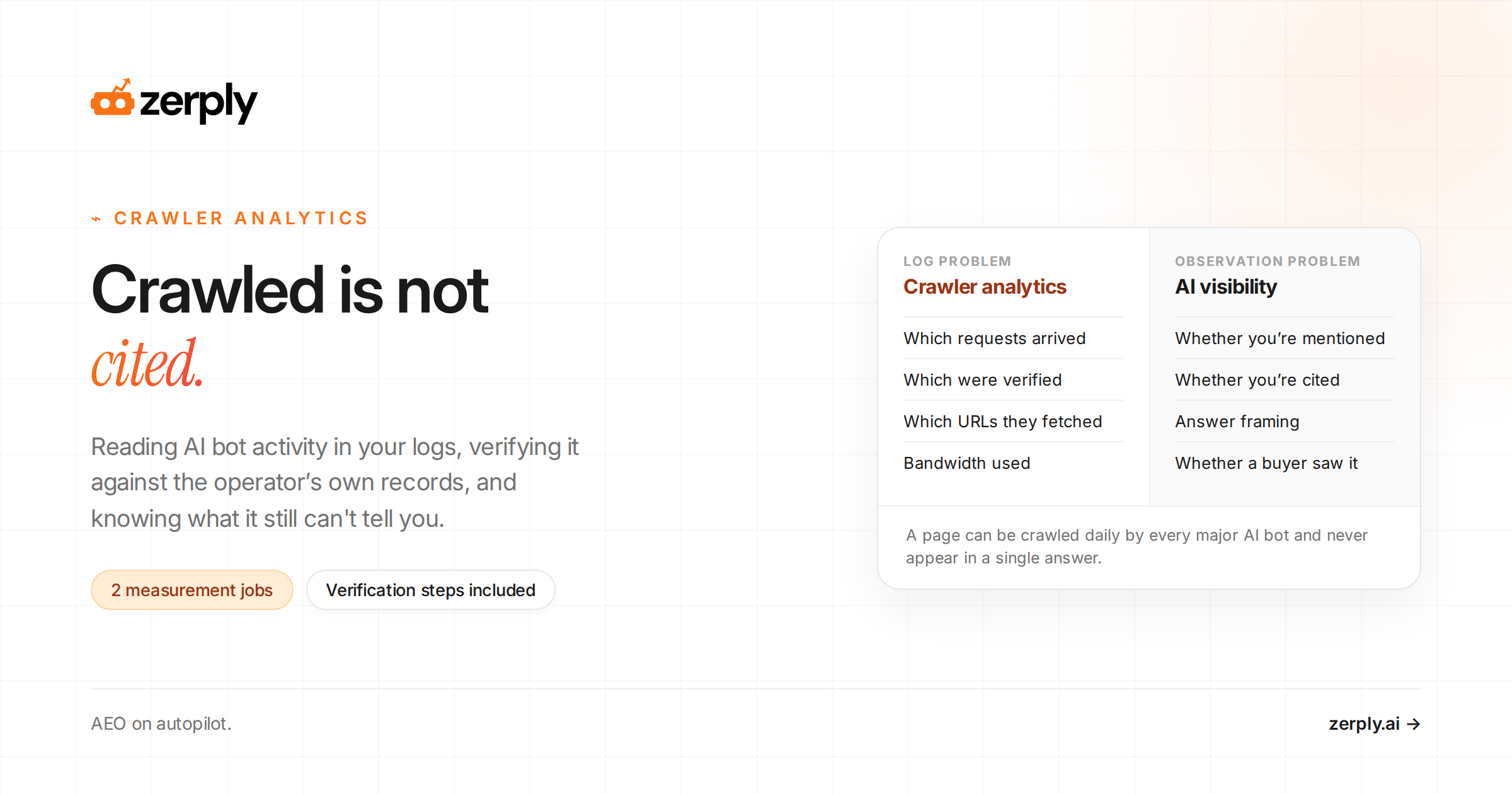
One crawler hit proves only that a request happened. It does not prove training use, citation, answer inclusion, or that any customer saw the page.
That is why log review and answer monitoring solve different problems. If a competitor keeps showing up in AI answers while you do not, the gap may live in crawl access, source selection, or competitor AI visibility.
How should you configure robots.txt for each bot?
You should configure robots.txt by deciding whether you want to allow future training collection, ChatGPT search inclusion, or both.
The examples below are illustrative. Confirm current vendor guidance before deployment.
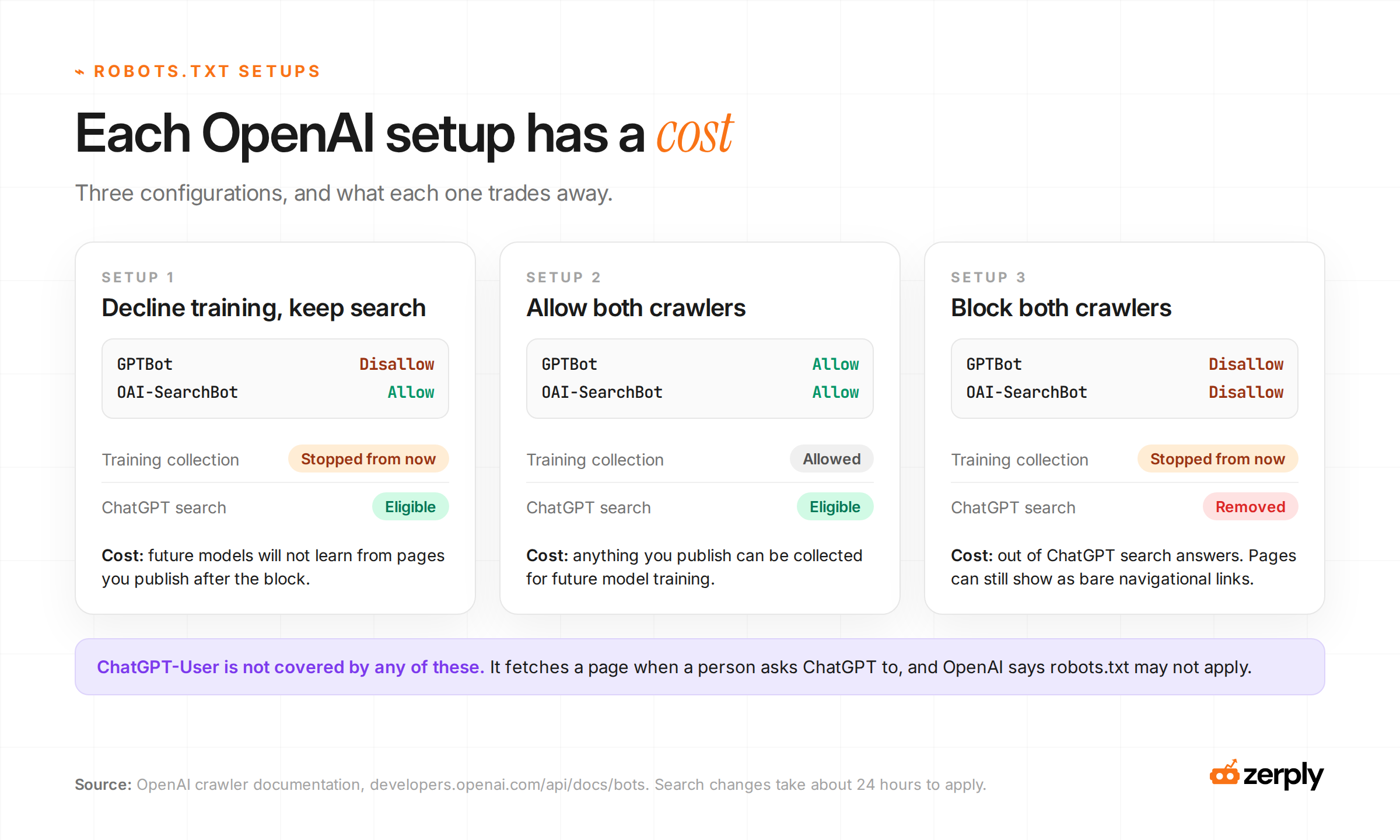
Illustrative configuration 1: publisher declines training but keeps ChatGPT search presence.
# Consequence: future training-related collection is blocked, but ChatGPT search eligibility remains.
User-agent: GPTBot
Disallow: /

User-agent: OAI-SearchBot
Allow: /
Illustrative configuration 2: SaaS site allows everything that OpenAI documents as robots-controlled.
# Consequence: OpenAI can crawl for both search and future training-related collection.
User-agent: GPTBot
Allow: /

User-agent: OAI-SearchBot
Allow: /
Illustrative configuration 3: site blocks both automated crawlers.
# Consequence: the site declines future training-related collection and will not appear in ChatGPT search answers.
User-agent: GPTBot
Disallow: /

User-agent: OAI-SearchBot
Disallow: /
After you change robots.txt, give the update time to propagate before you test whether the block worked.
Notice what is missing from those examples. ChatGPT-User is not a reliable robots.txt decision in the same way, because OpenAI says robots.txt may not apply to user-initiated fetches.
So use robots.txt for the two decisions it clearly controls. Use server-side controls for the paths that must stay private or expensive to fetch. For a practical guide to reading this traffic once it reaches your site, see the AI crawler analytics guide.
Which setup fits a real site decision?
Illustrative example, not observed traffic data.
A fictional B2B SaaS company has a strong blog, public help docs, and a sales team that likes referral traffic from AI search. The legal team is uneasy about future model training on documentation that took years to build. The growth team also noticed ChatGPT-User hits in server logs and assumed robots.txt should stop them.
Its best choice is mixed. It blocks GPTBot because it does not want future training-related collection from those pages. It allows OAI-SearchBot because losing ChatGPT search answers would hurt discovery and assisted research traffic. It handles ChatGPT-User at the server and protects sensitive endpoints with auth and rate limits instead of relying on a crawler rule.
That site lands on a simple posture: block GPTBot, allow OAI-SearchBot, monitor ChatGPT-User, and harden sensitive paths. What did it give up? It gave up future training-related collection by GPTBot. What did it keep? Search eligibility in ChatGPT and the option to inspect user-triggered fetches at the server layer.
Conclusion
These controls are separate, and each one trades away something different. Block GPTBot if you want to stop future training-related collection. Block OAI-SearchBot only if you accept losing ChatGPT search visibility. Treat ChatGPT-User as user-triggered traffic that needs server-side rules, auth, and rate limits because robots.txt does not fully settle that case.
If you want a clearer view of which AI bots are actually reaching your site, Zerply’s AI Traffic Analytics adds server-layer bot tracking without relying on a page script.
See how your brand shows up in AI search
Track visibility, citations, prompts, and competitors across leading AI platforms.
Frequently asked questions
Does blocking GPTBot remove my content from models that were already trained?
No. Blocking GPTBot stops future collection for potential training use. It does not remove content from models trained before the block.
Will blocking OAI-SearchBot remove my site from ChatGPT search answers?
Yes. OpenAI says sites opted out of OAI-SearchBot will not be shown in ChatGPT search answers, though pages can still appear as navigational links in some cases.
Can robots.txt fully block ChatGPT-User?
Not reliably. OpenAI says ChatGPT-User is tied to user-initiated actions and that robots.txt rules may not apply in the same way.
How can I verify that a request really came from an OpenAI bot?
Match the source IP against OpenAI’s current published range file for the bot it claims to be, then have your web team check a sample of requests against the current files before allowlisting or reporting them as genuine.
Written by
Founder at Zerply.ai & Wittypen
Anshul is the founder of Zerply.ai and previously built Wittypen, a content marketplace powering SEO growth for 1,000+ businesses. Over the last decade he has worked hands-on with B2B SaaS and tech teams to turn search data into compounding organic growth. At Zerply he shares practical playbooks on AEO, AI visibility, and modern SEO that come directly from experiments, wins, and failures in real projects.