AI Bot Traffic Analysis for Priority URLs

Direct answer: AI bot traffic analysis means checking which automated crawlers, including GPTBot, OAI-SearchBot, ChatGPT-User, and Googlebot, request your most important URLs, what status codes they receive, and whether each request is genuine. Start from a short list of priority URLs before looking at site-wide totals. Use server or CDN logs for AI bots, and the Search Console Crawl Stats report for Googlebot.
A chart of total AI crawler requests climbing month over month looks like progress. It does not answer the question a team actually has, which is whether the pages that win deals are readable by the systems writing answers about your category.
Site-wide totals mix every URL together. A crawler that fetches thousands of archive pages and never touches your pricing page produces a healthy-looking total and a real problem.
This guide works the other way round. You pick the URLs that carry commercial weight, check each one in your server or CDN logs and in Google Search Console, then run every finding through a triage checklist that ends with an owner and a fix.
What is bot traffic on a website?
Bot traffic is any request to your website made by automated software rather than a person using a browser. It includes search engine crawlers, AI crawlers, uptime monitors, SEO tools, and scrapers.
Your server records every request, human or automated, which is why logs are the starting point for bot analysis. For AI visibility work, five kinds of bot traffic are worth separating:
- Search crawlers such as Googlebot, which builds the index that Google Search and its AI features draw from
- AI search crawlers such as OAI-SearchBot, which OpenAI uses to surface sites in ChatGPT search
- AI training crawlers such as GPTBot, which collects content that may be used to train OpenAI's models
- User-triggered fetchers such as ChatGPT-User, which visits a page when a person asks ChatGPT about it
- Impersonators, scrapers that copy a known bot's name to look legitimate
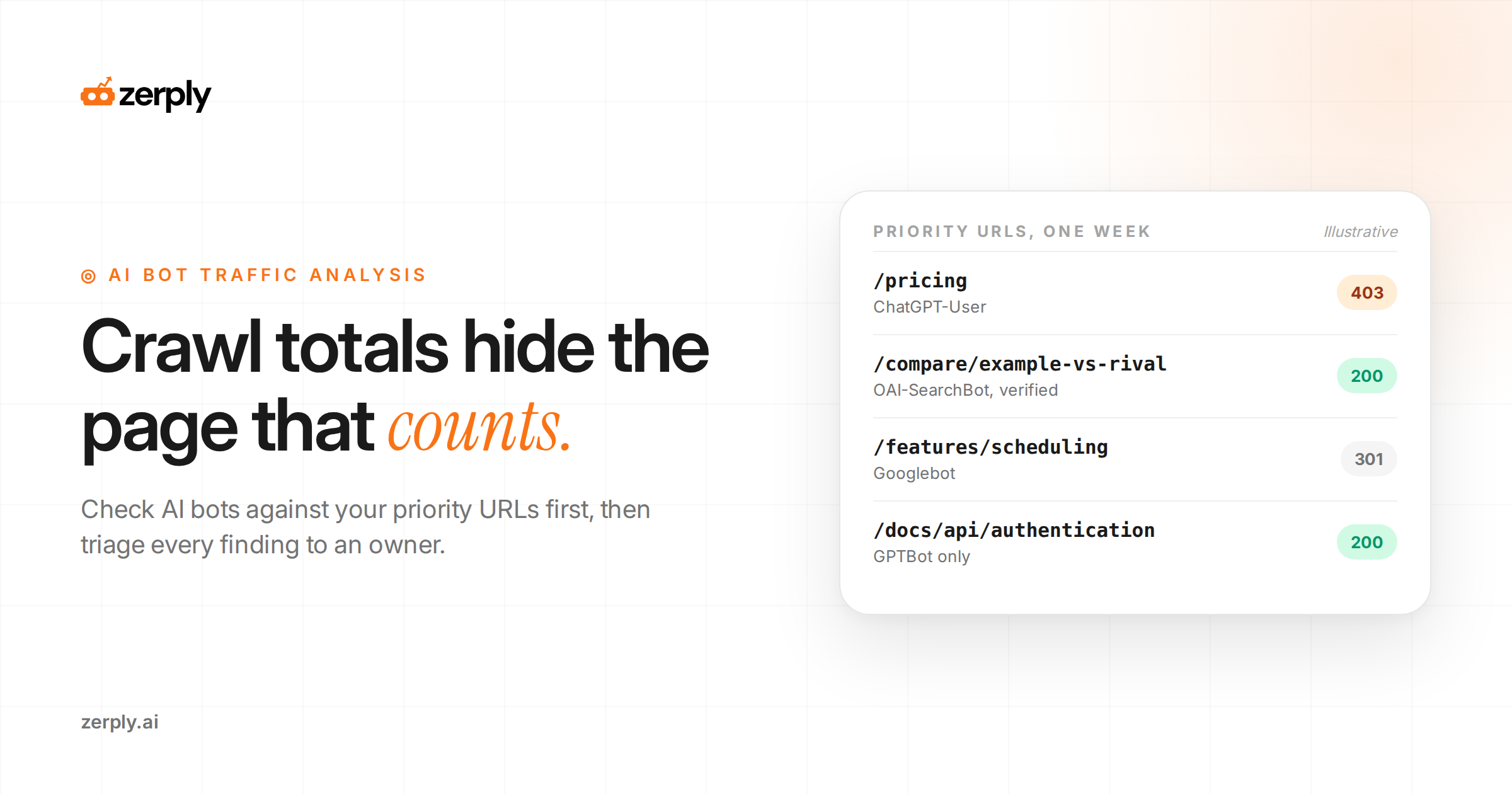
AI bot traffic analysis is the practice of reviewing those requests to see which AI systems reach your content, which URLs they fetch, and how your server responds to them.
A user agent is the name a client sends with each request to identify itself. Logs rely on it to label bots, and Google's crawler documentation warns that it can be spoofed. Every step below treats the user agent as a claim to check.
Why start with priority URLs instead of site-wide totals?
Starting with priority URLs ties the analysis to pages whose visibility has a business cost. Site-wide totals let high-volume, low-value URLs set the story.
A priority URL is a page you would want an AI answer to read, quote, or link when a buyer asks about your category. Keep the list short enough to review every week.
Use this priority page table to build the list and decide what to check on each row:
| Priority URL | Why it is on the list | What to check | Warning sign | Owner |
|---|---|---|---|---|
| Pricing page | Cost questions in AI answers lean on it | Search and user-triggered fetches, status codes | A search or user-triggered bot receives 403 or 5xx | Web team |
| Product and feature pages | Capability questions depend on current copy | A fresh request after each release | No search-bot request since the last release | Product marketing |
| Comparison and alternatives pages | Evaluation prompts pull from them | Requests from AI search crawlers | Bots still requesting a redirected old URL | SEO lead |
| Guides that already earn citations | Existing citations are worth protecting | Steady requests after each update | Requests fall in the same period its citations fall | Content lead |
| Docs and help articles | Implementation questions and agents fetch them | User-triggered fetches and response codes | Requests blocked by login walls or rate limits | Docs owner |
| Newly published or refreshed pages | They need to be discovered | Date of the first request from each bot | No AI search crawler request by the next weekly review | SEO lead |
Give every row a named owner. It works the same way as assigning one owner per prompt group in an AI search benchmark framework: a finding without an owner stays a finding.
What does the Google Search Console Crawl Stats report show?
The Google Search Console Crawl Stats report shows how Google's crawlers requested your site over time, what your server returned, and any availability problems Google hit. Open it from Settings > Crawl stats. It works only on root-level properties, meaning a Domain property or a URL-prefix property at the root of the site.
Inside, the data is broken down into:
- Total crawl requests, total download size, and average response time, charted over time
- Host status, covering robots.txt fetching, DNS resolution, and server connectivity over the last 90 days
- Crawl responses, grouped by status code as a share of all requests
- File type of each response, such as HTML, image, JavaScript, or PDF
- Crawl purpose, split into discovery (a URL never crawled before) and refresh (a recrawl of a known page)
- Googlebot type, such as smartphone, desktop, image, page resource load, AdsBot, and StoreBot
Click any row, such as a response code, to open example URLs for that group, then look for your priority URLs in the list. Google's Crawl Stats documentation says those examples are representative, not comprehensive, so a missing URL does not prove Google skipped it. The report also counts the exact URLs Google requested, including each hop in a redirect chain, instead of grouping them under canonical URLs.
Two limits shape how you use Search Console crawl stats for AI work. The report covers Google's crawlers only, so GPTBot, OAI-SearchBot, and every other non-Google bot are absent from it. It also cannot isolate Google's AI crawling. According to Google's list of common crawlers, rules for Googlebot apply to all Google Search features, and Google-Extended has no user agent string of its own. It is a robots.txt token that controls whether Google may use crawled content for Gemini training and grounding, and it never appears as a separate crawler in any report or log.
Google also says a site with fewer than a thousand pages should not need this report. For a small site, inspect each priority URL individually in Search Console instead.
How do you run server log analysis for SEO and AI bots?
You run server log analysis by pulling access logs from the layer that actually answers requests, filtering them to your priority URLs, labeling each request by bot, and verifying that each bot is genuine.
An access log is the file your web server or CDN writes with one line per request. Six steps turn it into a per-URL answer:
- Pull logs from the right layer. If a CDN serves cached copies of your pages, those requests never reach your origin server. Use the CDN's logs alongside the origin's.
- Read the fields. In Apache's Combined Log Format, each line holds the client IP, a timestamp, the request line (method, path, and protocol), the status code, the response size, the referrer, and the user agent.
- Filter to priority URLs first. Match each path exactly, then add patterns for its redirected, legacy, and parameter variants.
- Label requests by bot. Match on the product token, such as
OAI-SearchBot,GPTBot,ChatGPT-User, orGooglebot. Use a wildcard for version numbers, since OpenAI and Google both change them over time. - Verify identity. A verified bot is a request whose source IP matches the ranges its operator publishes. Google publishes IP ranges for its common crawlers and a reverse DNS pattern ending in
googlebot.com. OpenAI publishes a separate file for each bot, listed in its crawler overview, such ashttps://openai.com/searchbot.json. Set aside any request that fails. - Summarize per URL. For each priority URL, record requests by verified bot, the status code mix, and the date of the most recent request.
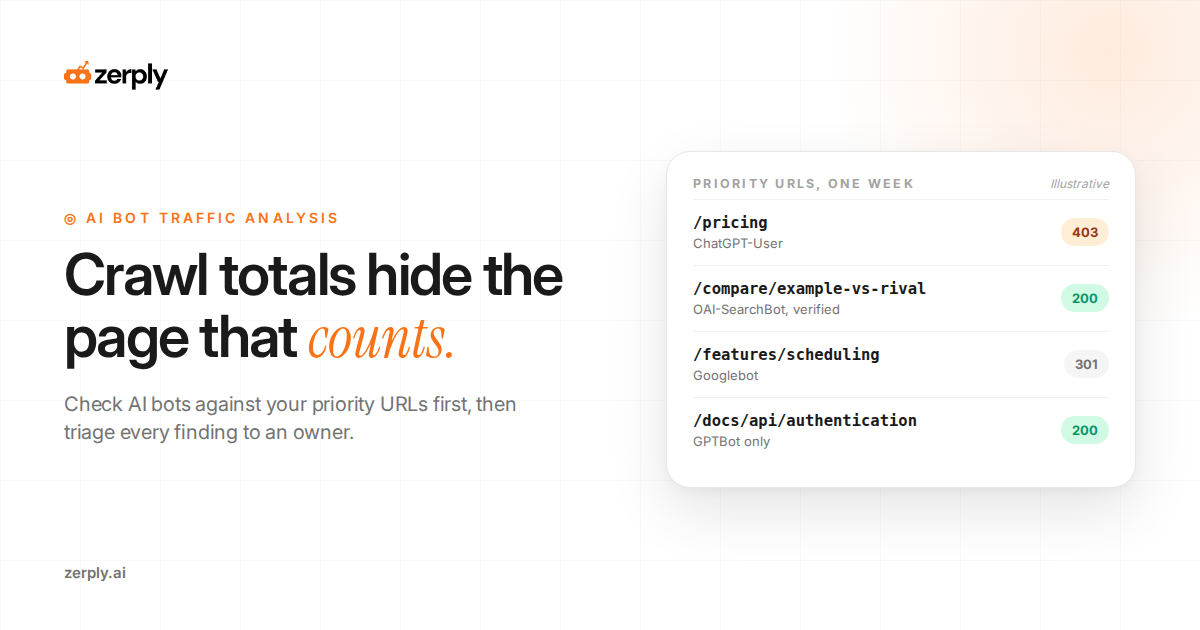
Worked example: one week of logs for four priority URLs
This is an illustrative example:
The IPs use address ranges reserved for documentation. Assume lines one to five matched their operators' published ranges and line six did not.
203.0.113.10 - - [22/Sep/2026:06:14:02 +0000] "GET /pricing HTTP/1.1" 403 512 "-" "Mozilla/5.0 AppleWebKit/537.36 (KHTML, like Gecko); compatible; ChatGPT-User/1.0; +https://openai.com/bot"
203.0.113.24 - - [23/Sep/2026:07:02:45 +0000] "GET /compare/example-vs-rival HTTP/1.1" 200 18230 "-" "Mozilla/5.0 (Macintosh; Intel Mac OS X 10_15_7) AppleWebKit/537.36 (KHTML, like Gecko) Chrome/131.0.0.0 Safari/537.36; compatible; OAI-SearchBot/1.4; +https://openai.com/searchbot"
198.51.100.7 - - [24/Sep/2026:08:30:11 +0000] "GET /features/scheduling HTTP/1.1" 301 0 "-" "Mozilla/5.0 (Linux; Android 6.0.1; Nexus 5X Build/MMB29P) AppleWebKit/537.36 (KHTML, like Gecko) Chrome/131.0.0.0 Mobile Safari/537.36 (compatible; Googlebot/2.1; +http://www.google.com/bot.html)"
198.51.100.19 - - [25/Sep/2026:09:12:37 +0000] "GET /docs/api/authentication HTTP/1.1" 200 9412 "-" "Mozilla/5.0 AppleWebKit/537.36 (KHTML, like Gecko); compatible; GPTBot/1.4; +https://openai.com/gptbot"
198.51.100.44 - - [26/Sep/2026:10:05:58 +0000] "GET /pricing HTTP/1.1" 200 14870 "-" "Mozilla/5.0 (Linux; Android 6.0.1; Nexus 5X Build/MMB29P) AppleWebKit/537.36 (KHTML, like Gecko) Chrome/131.0.0.0 Mobile Safari/537.36 (compatible; Googlebot/2.1; +http://www.google.com/bot.html)"
192.0.2.55 - - [27/Sep/2026:11:41:20 +0000] "GET /pricing HTTP/1.1" 200 14870 "-" "Mozilla/5.0 AppleWebKit/537.36 (KHTML, like Gecko); compatible; GPTBot/1.4; +https://openai.com/gptbot"
Reading those six lines URL by URL gives this summary:
| Priority URL | What the log shows | Triage decision | Owner |
|---|---|---|---|
/pricing | ChatGPT-User received a 403. Googlebot received a 200. A request claiming to be GPTBot failed verification. | Find the rule returning 403 to ChatGPT-User and decide whether it should apply to user-triggered fetches. Treat the unverified request as a scraper. | Web team |
/compare/example-vs-rival | A verified OAI-SearchBot request received a 200 | Healthy. No action this week. | SEO lead |
/features/scheduling | Googlebot received a 301 | Point internal links and the sitemap at the destination URL, since each redirect hop costs a separate request | SEO lead |
/docs/api/authentication | Only GPTBot requested it | Access works. OpenAI says it may reuse one crawl for both training and search when both bots are allowed, so this is no proof of a search gap. Confirm OAI-SearchBot is allowed in robots.txt and recheck next week. | Docs owner |
The pricing row is the one to escalate first. A user-triggered fetch blocked on the pricing page means that when someone asks ChatGPT about your prices, it cannot fetch the page live, so the answer leans on whatever copy it already has.
What should your triage checklist cover?
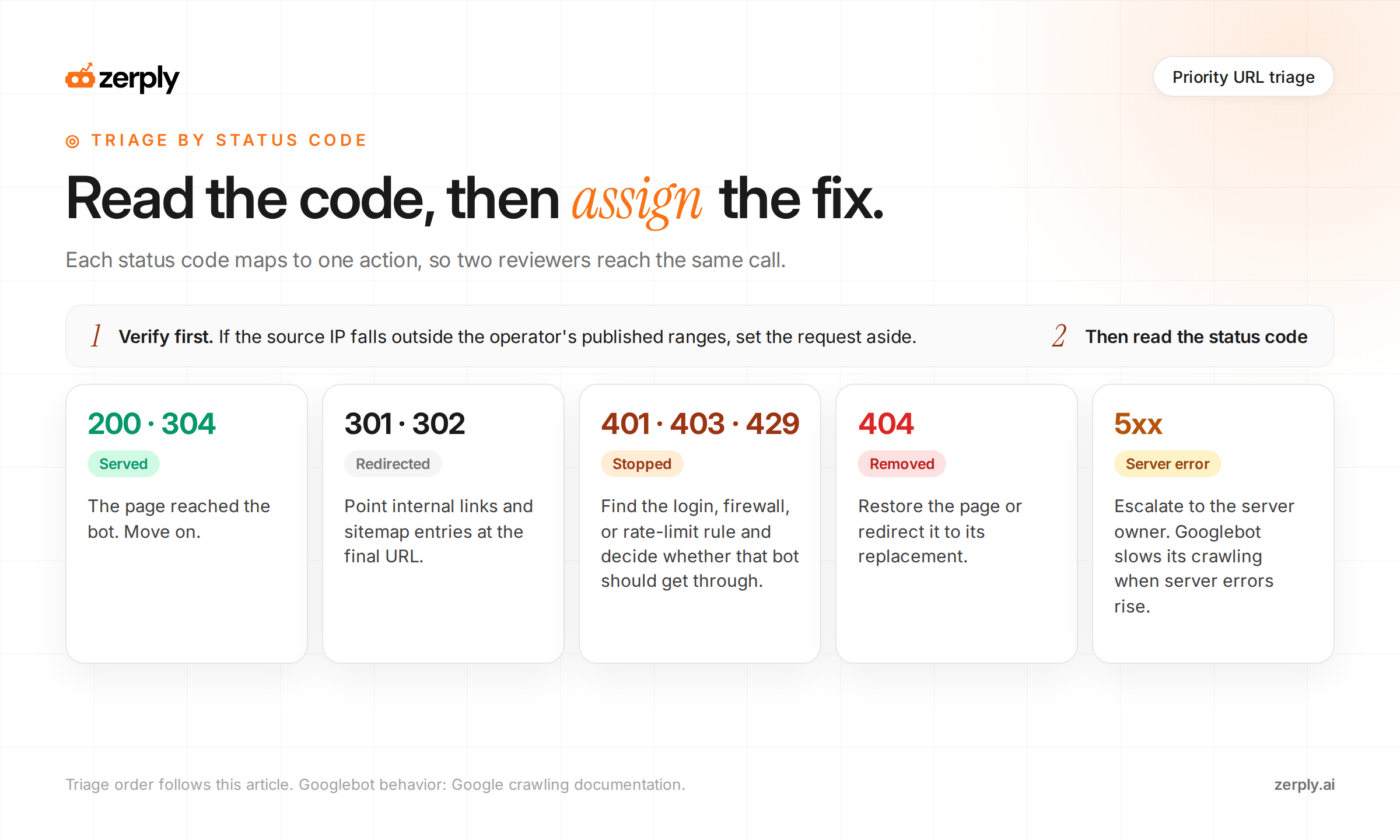
Your triage checklist should take each priority URL from raw signal to a named fix in the same order every time, so two reviewers reach the same decision.
- Is the request verified? If the source IP falls outside the operator's published ranges, set it aside as unverified.
- What status code did the bot receive?
- 200 or 304: the page was served. Move on.
- 301 or 302: update internal links and sitemap entries to the final URL.
- 401, 403, or 429: find the login, firewall, or rate-limit rule responsible and decide whether that bot should get through.
- 404: restore the page or redirect it to its replacement.
- 5xx: escalate to whoever owns the server. Google says Googlebot slows its crawling when server errors rise.
- Does the bot match your policy? Compare what reached the page with what your robots.txt intends. An accidental block and a crawler you meant to stop both need a decision.
- Has a search or user-triggered bot fetched the page since its last significant update? If not, check internal links, sitemap inclusion, and robots.txt access for that bot.
- Is the requested URL the canonical one? Legacy or parameter URLs in the log point to links that still need updating.
- Is response time normal? Crawl Stats reports average response time for Google, and Google says Googlebot throttles back when a site responds slowly.
- Who owns the fix, and when is it rechecked? Write both into the row before the review ends.
What can AI bot traffic data not tell you?
AI bot traffic data tells you that a crawler reached a page and what the server returned. It cannot tell you whether the page was cited in an answer, how the answer described you, or whether a buyer ever saw it.
Treat crawl data as the access layer. For the answer layer, track AI citation share on a fixed prompt set. For the visit layer, measure AI referral traffic in GA4. A page can pass every check in this guide and still earn no citations, which is exactly why the three layers stay separate.
Conclusion
AI bot traffic analysis pays off when it stays narrow. Pick the URLs that carry commercial weight, check them in logs for AI bots and in Crawl Stats for Googlebot, verify every bot before trusting it, and run each finding through the same triage checklist until it has an owner and a recheck date.
Zerply's AI Traffic Analytics handles the per-URL part without a script on your site. Its Crawled Pages view lists every URL a bot requested, which bots made the requests, and how many, so your priority list can be checked against it directly. Every visit is also classified as AI Search, AI Training, or AI Assistant, the same split this guide uses, and can be filtered by bot or operator. That separates a training crawl of your pricing page from a search or user-triggered fetch without writing a log parser. The guide to how AI platforms read your site walks through each view. Because the connection runs through Cloudflare, a site that does not use Cloudflare will still need its own server or CDN logs for the same view.
Frequently asked questions
What is AI bot traffic analysis?
AI bot traffic analysis is the process of reviewing requests from crawlers such as GPTBot, OAI-SearchBot, ChatGPT-User, and Googlebot to see which important URLs they fetch, what status codes they receive, and whether those requests are legitimate.
Why should I analyze priority URLs instead of total bot traffic?
Priority URL analysis focuses on pages that matter commercially, such as pricing, product, comparison, documentation, and recently updated pages. Site-wide totals can hide problems if bots crawl low-value URLs heavily but miss or fail on pages that influence pipeline and conversions.
Can Google Search Console show AI crawler traffic?
Google Search Console Crawl Stats only shows Google crawlers. It does not report GPTBot, OAI-SearchBot, or other third-party AI bots, so you need server or CDN logs to evaluate non-Google AI crawler access.
How can I verify whether a bot request is genuine?
Treat the user agent as a claim, not proof. Verify the request by checking whether the source IP matches the operator’s published IP ranges or validation guidance, such as Google’s crawler documentation or OpenAI’s crawler documentation.
What should I do if an AI bot gets a 403, 404, or 5xx on a key page?
Investigate the exact rule or issue causing the response. For 403 or 429 responses, review firewall, authentication, or rate-limiting rules. For 404s, restore or redirect the page. For 5xx errors, escalate to engineering because repeated server errors can reduce crawl activity and limit AI systems from accessing the page.
Written by
Founder at Zerply.ai & Wittypen
Anshul is the founder of Zerply.ai and previously built Wittypen, a content marketplace powering SEO growth for 1,000+ businesses. Over the last decade he has worked hands-on with B2B SaaS and tech teams to turn search data into compounding organic growth. At Zerply he shares practical playbooks on AEO, AI visibility, and modern SEO that come directly from experiments, wins, and failures in real projects.