Pricing Pages for AI Search: How to Earn Citations and Conversions

The short answer: Pricing pages for AI search earn citations when they state prices and plan limits in plain text an AI assistant can quote. When a pricing page hides the numbers, an answer to "how much does it cost?" quotes a third-party estimate or gives no price at all. Buyers need the same numbers to choose a plan, so one page can serve both.
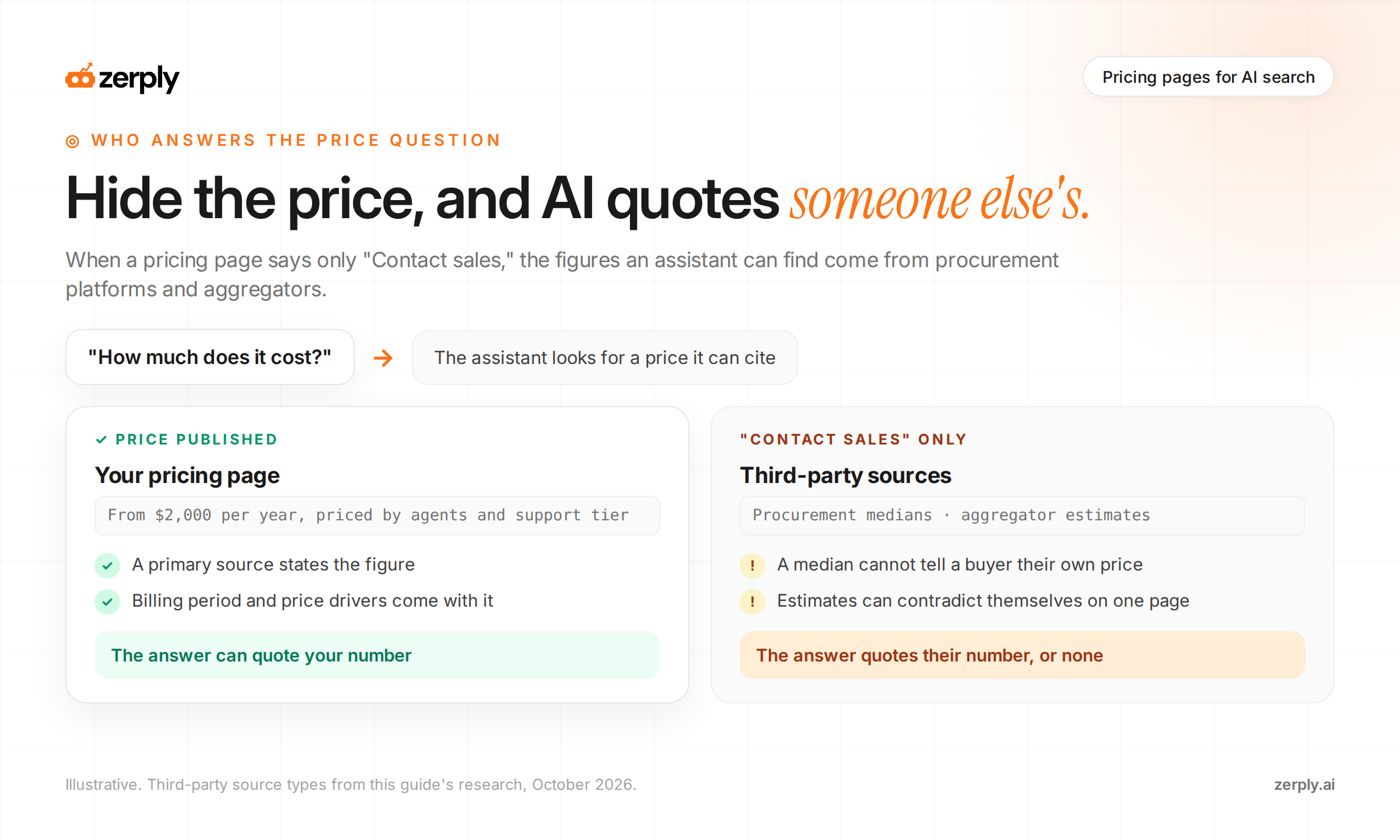
A "Contact sales" button doesn't stop anyone else from publishing a price for your product. Procurement platforms and pricing aggregators publish figures for software that lists no prices, and their pages are where an assistant looks when yours stays quiet.
What AI quotes when prices are hidden
Vendr, a software procurement platform, publishes the median price buyers paid for software products, drawn from purchase data. As of October 2026, its page for Onna shows a median of $145,507 per year, with deals ranging from $79,085 to $276,266.
Aggregators go a step further and estimate prices they can't observe. As of October 2026, one aggregator's page on Vendr's own pricing gives the price as up to $12,000 per user per month, then lists the Platform plan at $12,000 per year flat a few lines later.
A published price doesn't make those pages disappear. It gives the assistant a primary source to cite alongside them, and your own pricing page is the most authoritative statement of what your product costs.
Should you publish pricing on your website?
Yes. Publish at least a starting price and what drives the final one. Self-serve products should list full prices. Sales-led products can still say where pricing begins and what changes it.
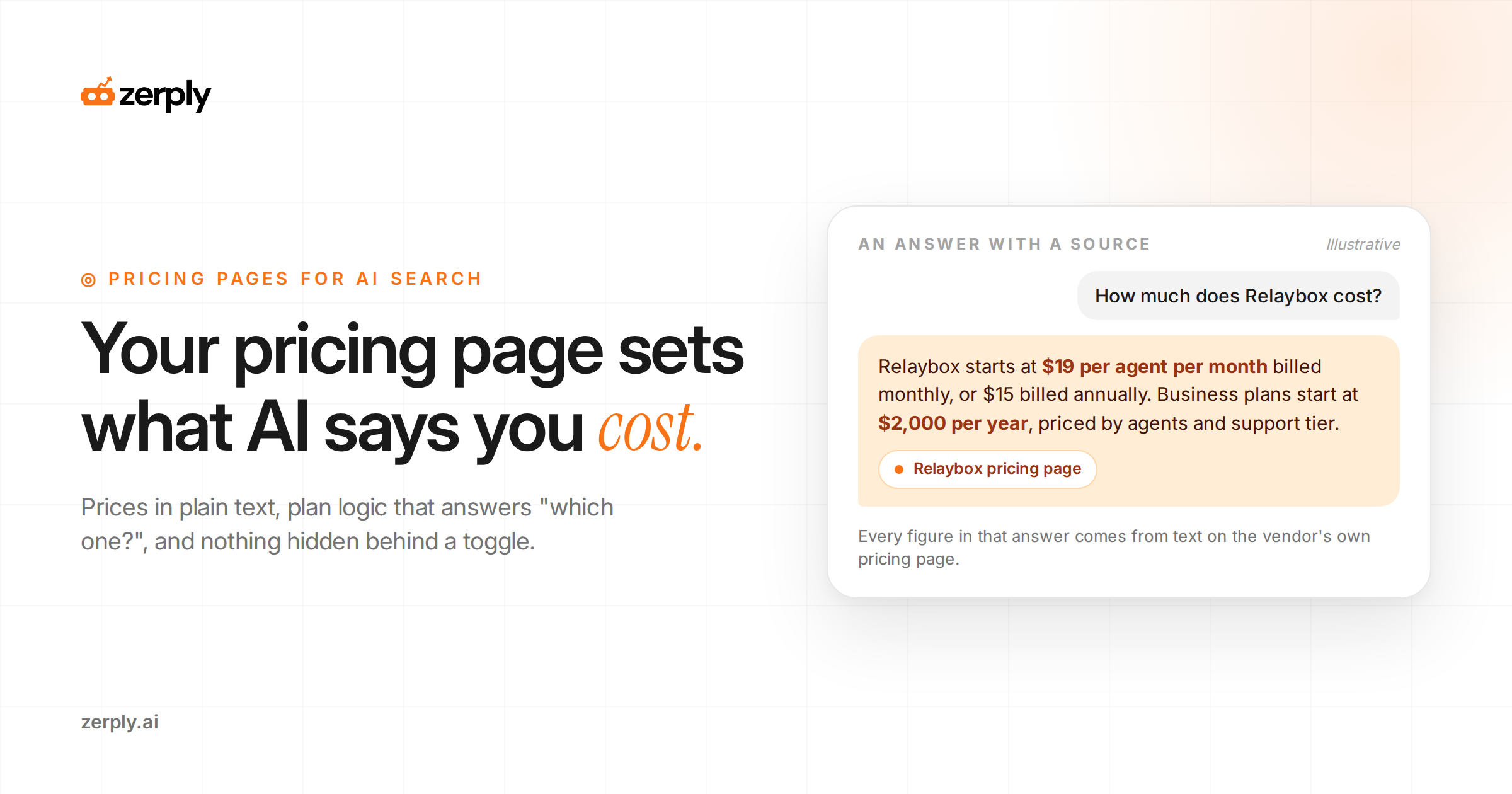
Enterprise deals vary by seat count, usage, and contract length, and that's a fair reason to keep the final number off the page. It isn't a reason to publish nothing. "Plans start at $2,000 per year, priced by number of agents and support tier" gives an assistant a credible figure to quote and tells a buyer, before the first call, whether the product fits their budget.
What a SaaS pricing page needs
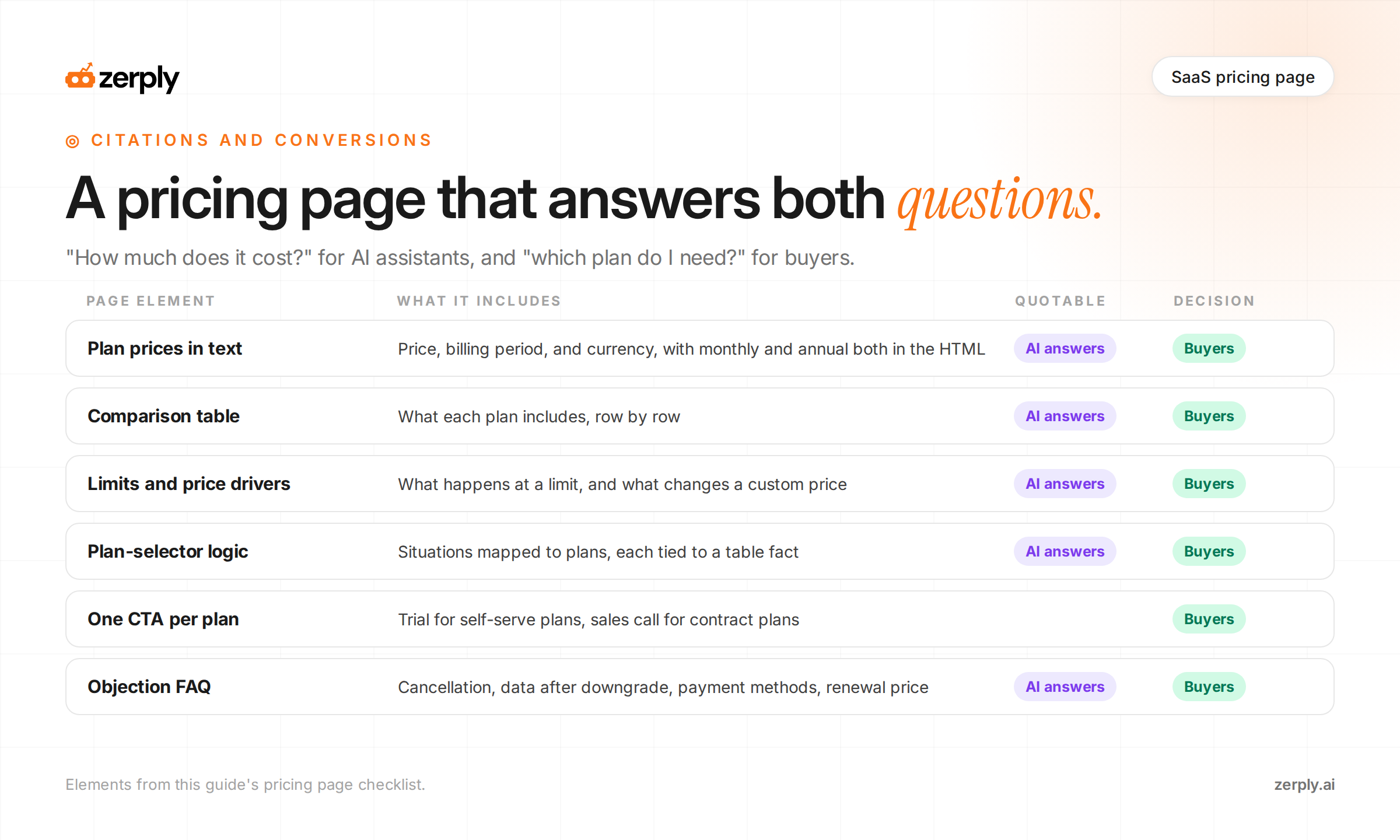
Buyers and assistants go looking for the same facts on a pricing page. Every plan needs its price, billing period, currency, and limits written as text, then a comparison table and a short note on what changes the price.
Illustrative pricing page example. Relaybox is an invented customer support tool, and all figures are placeholders.
| Starter | Team | Business | |
|---|---|---|---|
| Price | $19 per agent per month, billed monthly | $49 per agent per month, billed monthly | From $2,000 per year |
| Annual billing | $15 per agent per month | $39 per agent per month | Annual contracts only |
| Included agents | Up to 3 | Up to 25 | 25 or more |
| Ticket volume | 1,000 tickets per month | Unlimited | Unlimited |
| Channels | Email, chat | Email, chat, phone | |
| SSO and audit logs | No | No | Yes |
| Free trial | 14 days | 14 days | Demo with sales |
Below the comparison table, answer the questions a buyer or an assistant would otherwise guess at:
- What happens at a limit, such as "Starter accounts that pass 1,000 tickets in a month move to read-only for new tickets until the next billing cycle."
- What changes the Business price, such as agent count and phone support hours.
- Whether tax is included.
- What the free trial includes and whether it needs a card.
- When the page was last updated.
Each line stands on its own. When asked, "Does Relaybox have a free plan?" an assistant should quote the trial row and say there's a 14-day trial but no free plan, instead of guessing.
Answer "which plan do I need?" directly
Right after "how much," buyers ask which plan fits a team like theirs. Plan-selector logic answers that with a short table that maps situations to plans.
| Your situation | Plan | Why |
|---|---|---|
| One to three people answering email | Starter | Covers email for up to 3 agents |
| A support team using email and live chat | Team | Adds chat and removes the ticket cap |
| Security review requires SSO | Business | SSO and audit logs are Business-only |
| Phone support is part of the service | Business | Phone is the only channel added at that tier |
The plan selector answers what the comparison table can't. A buyer who asks an assistant "Which Relaybox plan includes SSO?" gets a direct answer from the third row. A buyer reading the page gets the same answer without comparing seven rows.
Tie every row to a fact in the comparison table. A row that recommends a plan for a reason the table doesn't support leaves an assistant with two answers to choose between.
What turns pricing page readers into buyers
The facts that make a pricing page citable are the same ones a buyer checks before choosing a plan. A buyer still needs help picking a plan and taking the next step.
Give each plan one call to action that matches how it's sold. "Start free trial" fits Starter and Team, and "Talk to sales" fits Business. When every plan says "Get started," the buyer can't tell which button leads to checkout and which leads to a sales call.
State savings as numbers. "$39 per agent per month billed annually, instead of $49 billed monthly" tells a buyer exactly what the annual commitment is worth, and an assistant can quote it. "Save 20%" leaves both of them to do the math.
Put a short, visible FAQ beside the table, and start with the questions about commitment and risk:
- Can I change or cancel my plan at any time?
- What happens to my data if I downgrade?
- Can you invoice annually?
- Is my price locked at renewal, and for how long?
Buyers ask assistants the same questions before they ever reach a sales call. An answer on the pricing page gives the assistant something to quote and saves the buyer an email to sales before signing up.
Pricing page design that hides prices
Some pricing page design choices put numbers on screen that AI crawlers never receive. The December 2024 Vercel and MERJ analysis found that none of the major AI crawlers it measured rendered JavaScript, so anything a script adds after the page loads is invisible to them.
| Design choice | What an AI crawler sees | Fix |
|---|---|---|
| Monthly and annual prices swap with a JavaScript toggle | One price, or none, depending on the default | Put both prices in the HTML and use the toggle only to change which one is shown |
| Prices load from an API after the page opens | An empty table | Render prices on the server |
| Prices appear inside an image | No price | Write prices as text |
| A currency switcher sets prices by visitor location | Whatever the crawler's location triggers | Show a default currency in the HTML and label it |
| The full table sits behind a "See all features" click | Only the top rows | Keep the full table in the HTML, collapsed if needed |
Check the toggle first. It looks fine to every person who visits, which is exactly why nobody notices when a crawler gets nothing.
Once the prices are in the HTML, structured data can repeat them in a machine-readable format, and it comes with conditions. Google's software app structured data requiresoffers.price, plus an aggregate rating or a review, before a page qualifies for the software app rich result. The markup supports a published price. It can't stand in for one.
Check what AI says you cost
Ask the questions buyers ask and record where each answer gets its numbers.
- Run "How much does [product] cost?", "[product] pricing", and "[product] vs [competitor] price" in the AI assistants your buyers use.
- Note the price each answer gives and the page it cites.
- Compare each cited figure with your current pricing page.
- Repeat the same prompts on a schedule, as covered in our guide to AI search prompt tracking.
Then check whether assistants are reading the page at all. A ChatGPT-User request on /pricing means a person asked a question that needed your pricing page. Our guide to AI bot traffic analysis walks through a case where that request got a 403 error, so the assistant answered the price question without seeing the pricing page.
Conclusion
Run those three prompts in two assistants today. Every answer that quotes an aggregator, or gives no price at all, points at a number missing from your page. Put that number on the page this week and rerun the prompts next month.
Zerply's Citation Tracking shows which sources AI answers cite for the pricing prompts you track, so you'll see when an aggregator starts supplying your price instead of your own page. If you're on Cloudflare, AI Traffic Analytics also shows whether assistants are actually requesting /pricing, separate from training crawls.
Frequently asked questions
Should a SaaS company publish pricing on its website?
Publish at least a starting price and what drives the final price. Self-serve products can list full prices. Sales-led products can state where pricing begins, such as plans starting at $2,000 per year, and which factors change it, so AI assistants and buyers have an accurate figure to work from.
Where do AI assistants get pricing when a vendor hides it?
From third parties. Procurement platforms such as Vendr publish median prices drawn from real purchases, along with a price range, and pricing aggregators publish estimates of varying quality. Without a published price, an AI answer about cost relies on these sources or gives no useful figure.
What should a SaaS pricing page include?
Each plan's price, billing period, currency, and limits written in text, a comparison table of what each plan includes, what happens when a limit is reached, what changes custom pricing, free trial terms, tax treatment, and a last-updated date. Each line should make sense when quoted on its own.
What is plan-selector logic on a pricing page?
Plan-selector logic is a short table or set of rules that maps a buyer's situation to a plan, such as which plan to choose when a security review requires SSO. It answers which plan do I need directly, for buyers reading the page and for AI assistants quoting it.
Can AI crawlers read prices behind a monthly and annual toggle?
Only if both prices are in the page's HTML. A December 2024 Vercel and MERJ analysis found the major AI crawlers it measured do not render JavaScript, so prices added by a script after the page loads are invisible to them. Render both prices on the server and use the toggle only to switch which one is shown.
Does SoftwareApplication schema help a pricing page?
It supports a published price but cannot replace one. Google's software app structured data requires offers.price, and a page also needs an aggregate rating or a review to qualify for the software app rich result. The visible price in plain text still does most of the work.
Written by
Founder at Zerply.ai & Wittypen
Anshul is the founder of Zerply.ai and previously built Wittypen, a content marketplace powering SEO growth for 1,000+ businesses. Over the last decade he has worked hands-on with B2B SaaS and tech teams to turn search data into compounding organic growth. At Zerply he shares practical playbooks on AEO, AI visibility, and modern SEO that come directly from experiments, wins, and failures in real projects.