
GSC and GA4 Editorial Calendar: How to Turn Search Data Into a Content Plan

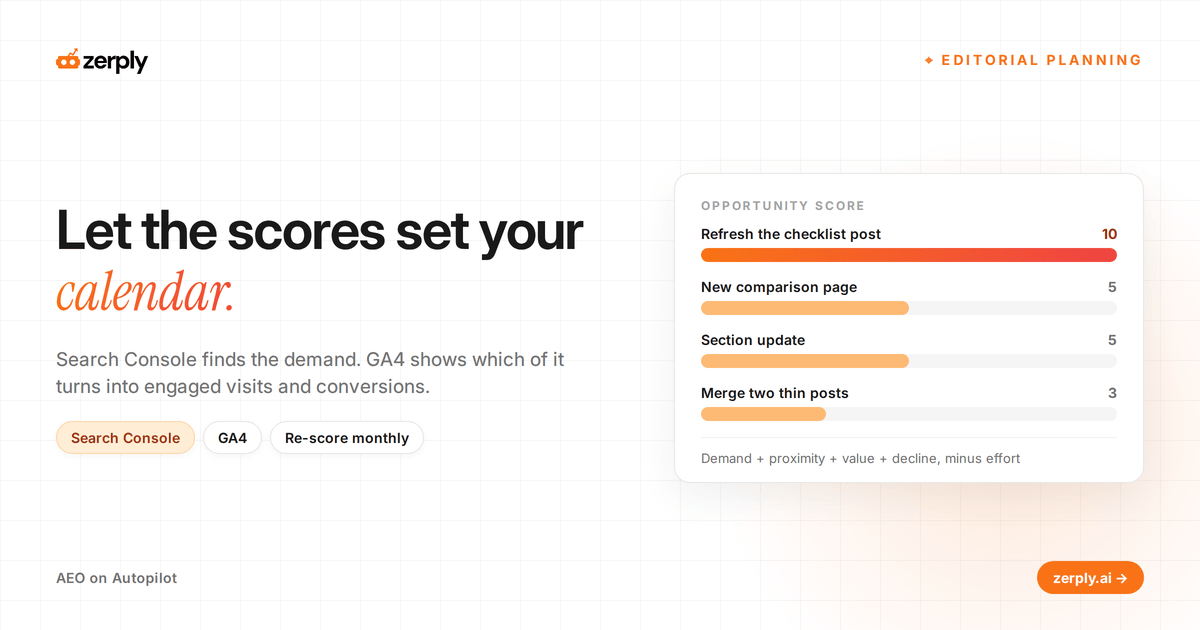
The short answer: A GSC and GA4 editorial calendar plans content from two kinds of evidence. Search Console lists the queries where a page already ranks in positions 5 to 20, and GA4 records whether that page's visitors engage or convert. Score every idea on both, schedule the highest scores first, and re-score once a month.
A content calendar planned in a meeting fills up with topics the team finds interesting. It misses the page ranking eighth for a query with 12,000 monthly impressions, where one better section could lift it into the top three, because nobody in the meeting is looking at Search Console.
Your Search Console and GA4 properties already hold the evidence for a better SEO editorial calendar. Turning them into one is mostly a scoring problem, because the two tools measure different things and never agree on totals. The scoring only works once you know what each tool can and can't tell you.
What GSC and GA4 each add to content planning
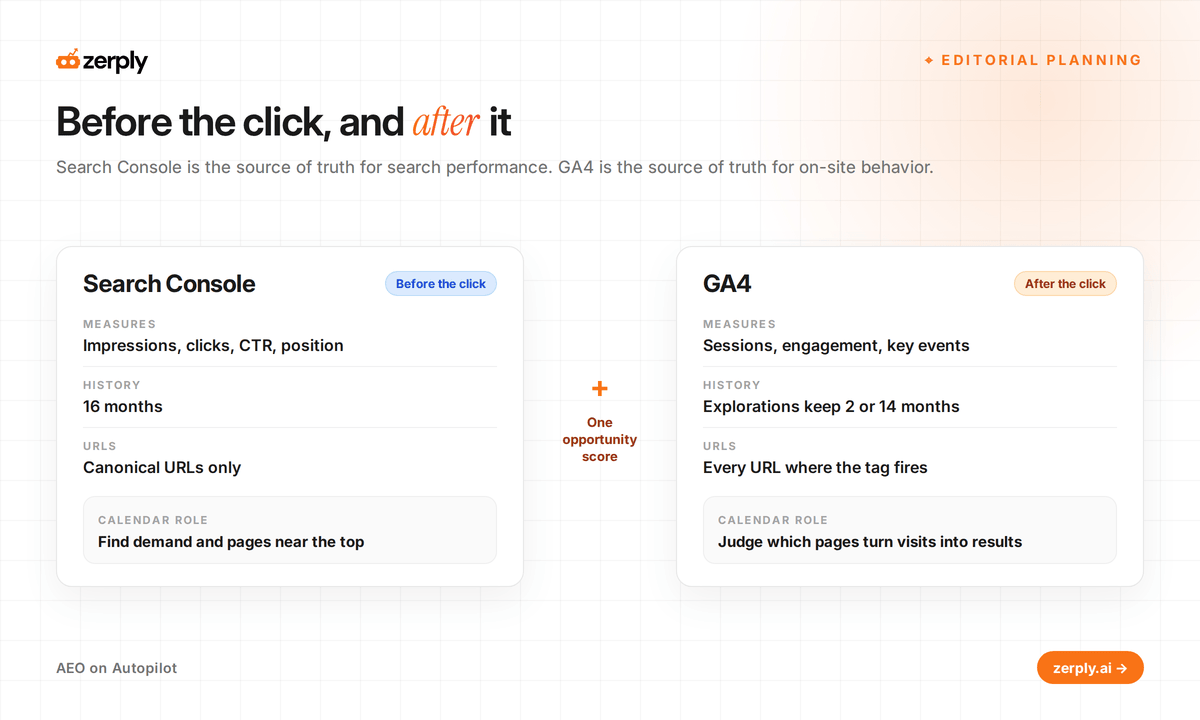
Search Console covers what happens before the click, and GA4 covers what happens after it. Google's guide to using Search Console and Analytics together names Search Console the source of truth for search performance and Analytics the source of truth for on-site behavior. A search console content strategy uses the first to find demand, and a GA4 content strategy uses the second to decide which demand deserves a slot. The table compares the two on what affects planning:
| Question | Search Console | GA4 |
|---|---|---|
| What it measures | Impressions, clicks, CTR and average position by query and page | Sessions, engagement, key events and revenue by landing page |
| How far back | 16 months | Standard reports keep aggregated data, while explorations keep 2 or 14 months depending on your retention setting |
| Which URLs | Canonical URLs only | Every URL where the tag fires |
| Bot traffic | Not necessarily filtered | Known bots excluded |
| Calendar role | Finding demand and pages near the top | Judging which pages turn visits into results |
Check GA4's event data retention before you plan anything. If it's still on 2 months, change it to 14 today. Explorations are where you'll compare a page's engagement this quarter against earlier quarters, and data that has already aged out won't come back.
Monthly GSC and GA4 reports to export
Pull these exports on the first working day of each month:
- The Search Console pages report for the last three months against the previous three, sorted by click change, to find the pages losing the most clicks.
- Search Console queries for each top page, filtered to positions 5 to 20, to find striking distance queries, meaning queries where a page already ranks on page one or two and a better section could lift it into the top three.
- The same pages report against the same months last year, so a seasonal dip doesn't get scheduled as a decline.
- GA4's landing page report filtered to sessions from Google organic search, with engagement rate and key events per page.
Remove branded queries from the Search Console exports before scoring, or the homepage tops your opportunity list every month. Branded demand belongs to pages that already rank for your name, so it never points to a page that needs work.
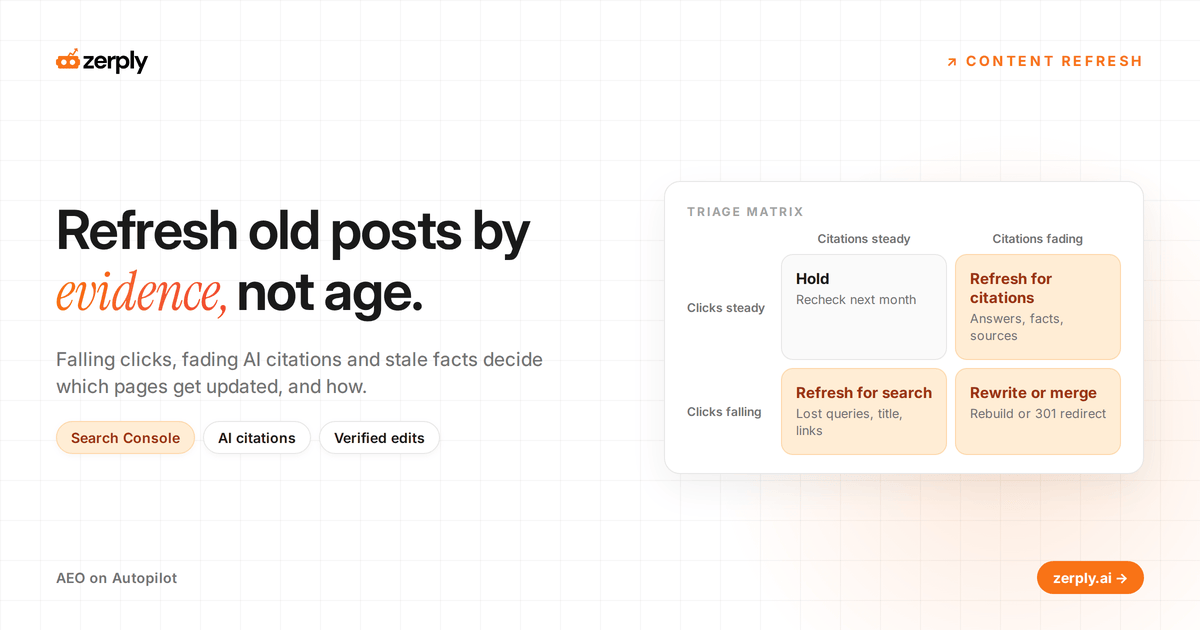
Pages cited in fewer AI answers this month than last month also belong in the export. Search Console won't flag them, because a page can stop appearing in ChatGPT answers while its Google clicks hold steady. For the visits AI answers do send, GA4 can report ChatGPT and Perplexity referrals separately, as covered in how to measure AI referral traffic.
How do you score content ideas with GSC and GA4?
Score each idea from 1 to 3 on four criteria, add the scores and subtract effort. The result is the opportunity score, and it sets the calendar order. The table gives the bands for each criterion:
| Criterion | Source | 1 point | 2 points | 3 points |
|---|---|---|---|---|
| Demand | GSC impressions on target queries, last 3 months | Under 1,000 | 1,000 to 10,000 | Over 10,000 |
| Proximity | GSC average position for the target query | 1 to 3, or worse than 20 | 11 to 20 | 4 to 10 |
| Value | GA4 key event rate on the page, or the closest related page | Below site average | Near site average | Above site average |
| Decline | GSC click change against the previous period | Flat or growing | Down 10% to 25% | Down more than 25% |
| Effort (subtracted) | Editor's estimate | Section update | Major rewrite | New page |
Positions 1 to 3 score low on proximity because a page already at the top has the least room to grow. Treat the demand bands as a starting point and scale them to your site. A site with 50,000 monthly clicks needs higher bands than one with 5,000.
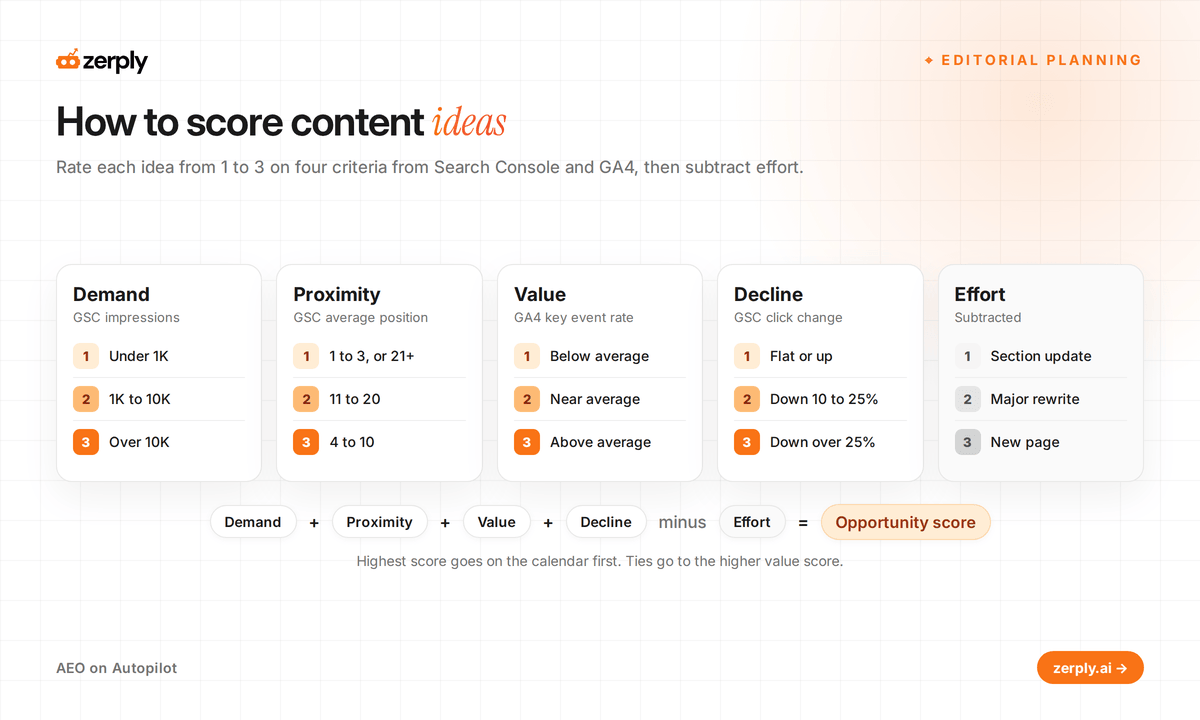
Here are four ideas scored with the table. The pages and numbers are illustrative:
| Idea | Demand | Proximity | Value | Decline | Effort | Score |
|---|---|---|---|---|---|---|
| Refresh /blog/onboarding-checklist (position 7, 14,200 impressions, clicks down 31%) | 3 | 3 | 2 | 3 | 1 | 10 |
| New page for "employee onboarding software comparison" (closest page at position 18) | 2 | 2 | 3 | 1 | 3 | 5 |
| Section update on /blog/remote-onboarding-tips (position 2, flat) | 3 | 1 | 1 | 1 | 1 | 5 |
| Merge two thin posts on onboarding emails (positions 24 and 31) | 1 | 1 | 1 | 2 | 2 | 3 |
The checklist refresh outscores the new page by five points, because it already has the demand and the ranking and only needs the work. Expect refreshes to fill the top of your first calendar for the same reason. New pages move up the list once the pages losing clicks have been dealt with.
Break ties on value. The new page and the section update both score 5, and the new page goes first because its GA4 value score is higher.
SEO content calendar template with example rows
The template turns scored ideas into dated rows, one row per page. The rows are illustrative and continue the scored example:
| Week of | Page or topic | Action | Target query | Score | Owner | Evidence | Check on |
|---|---|---|---|---|---|---|---|
| Nov 2 | /blog/onboarding-checklist | Refresh | onboarding checklist template | 10 | Editor | Clicks down 31%, position 7 | Dec 7 |
| Nov 9 | Employee onboarding software comparison | New page | employee onboarding software comparison | 5 | Writer A | Closest page at position 18, high key event rate | Dec 14 |
| Nov 16 | /blog/remote-onboarding-tips | Section update | remote onboarding tips | 5 | Writer B | Position 2, CTR below site average | Dec 21 |
| Nov 23 | /blog/onboarding-email-templates and /blog/welcome-email-examples | Merge and redirect | onboarding email templates | 3 | Editor | Both below position 20, overlapping queries | Dec 28 |
Set the Check on date about five weeks after publishing, which allows 28 days of data plus Search Console's two-day delay. On that date, compare the page against its evidence column and either close the row or give it a new one.
Keep the Check on column even when the sheet gets crowded. Without it, the calendar records what you published and never tells you whether it worked.
How to create an SEO content calendar
Build the calendar from the scores in this order:
- Set capacity first, as the number of pieces your team can finish and review in a month.
- Fill no more than 70% of that capacity with the highest scores, and hold the rest for launches, news and requests.
- Let the scores decide the mix of refreshes and new pages, instead of fixing a ratio in advance.
- Give every row one owner and a check-on date.
- Re-score on the first working day of each month, and drop rows that fall below a cut-off score you set, such as 6.
The 30% buffer is deliberate. A calendar packed to capacity breaks the first time a launch lands, and every bumped row pushes the rest back a week.
Why GSC clicks and GA4 sessions don't match
Search Console clicks and GA4 sessions never match exactly. Here are the reasons Google's guide lists:
- Search Console reports only canonical URLs, while GA4 reports every URL that carries the tag, so page lists won't line up.
- Search Console uses Pacific Time and GA4 uses the time zone you set, which shifts daily totals for sites far from California.
- Visitors who decline cookie consent drop out of GA4 but stay in Search Console, so a page can show healthy clicks and thin sessions.
- GA4 excludes known bots and Search Console doesn't necessarily, which widens the gap on low-traffic pages.
Google advises ignoring small differences and investigating large ones. A page showing 400 clicks and 310 sessions doesn't need a fix, because these causes produce gaps like this on healthy pages. For calendar decisions, compare trends inside each tool and never subtract one tool's totals from the other's.
Running a GSC and GA4 calendar in Zerply
Zerply connects Search Console and GA4 to the same chat, so these exports become a conversation with the Zerply Agent.
Ask "Which pages gained clicks in Search Console last month but lost sessions in GA4?" and the agent pulls both sources and answers in one table.
Planning happens in the same thread. Ask Zerply to plan a month or a quarter, and it suggests topics by priority and timing from your AI visibility data, keyword research, competitor gaps and sitemap, then places them on a monthly calendar view. The Blog Writing Agent in Foundry drafts from a calendar topic, and articles move from planned to published as they ship.
For refresh rows, Citation Decay adds what Search Console cannot, a suggested refresh date for each page cited in AI answers, shown in red once it's overdue.
Zerply reads the same properties you'd export, so Search Console's 16-month window and your GA4 retention setting still cap how far back the agent can compare. Connect both properties in Settings, then ask for next month's plan.
Conclusion
This week, run the four exports, score your top 20 ideas, and fill 70% of the next four weeks with the highest scores. Leave the rest open on purpose. When the first check-on dates arrive, look at which criteria predicted the pages that recovered, and adjust the score bands before next month's scoring.
Frequently asked questions
How do you create an SEO content calendar from Search Console data?
Export pages with falling clicks and queries ranking in positions 5 to 20, add GA4 engagement and key events for each page, and score every idea on demand, proximity, value and decline, minus effort. Schedule the highest scores first and keep about 30% of capacity free for launches and requests.
What should an SEO content calendar template include?
Each row needs the week, the page or topic, the action, the target query, the score, one owner, the evidence behind it and a check-on date. The check-on date, about five weeks after publishing, is when you compare the page against its evidence and close or reopen the row.
How do you use GSC and GA4 together for content planning?
Use Search Console to find demand, such as impressions and pages close to the top, and GA4 to judge which pages turn visits into engaged sessions and conversions. Google calls Search Console the source of truth for search performance and Analytics the source of truth for on-site behavior.
Why don't Search Console clicks match GA4 sessions?
Search Console reports only canonical URLs and uses Pacific Time, while GA4 reports every tagged URL in your chosen time zone. GA4 also loses visitors who decline cookie consent and excludes known bots, so compare trends within each tool instead of comparing totals.
How often should you update an SEO editorial calendar?
Re-score ideas on the first working day of each month and drop rows that fall below your cut-off score. Check each published page about five weeks after it goes live, which allows 28 days of data plus Search Console's two-day delay.
How far back does Search Console and GA4 data go?
Search Console keeps 16 months of performance data. GA4 standard reports keep aggregated data, while explorations keep 2 or 14 months depending on your retention setting, so set it to 14 months before you need the history.
Written by
Founder at Zerply.ai & Wittypen
Anshul is the founder of Zerply.ai and previously built Wittypen, a content marketplace powering SEO growth for 1,000+ businesses. Over the last decade he has worked hands-on with B2B SaaS and tech teams to turn search data into compounding organic growth. At Zerply he shares practical playbooks on AEO, AI visibility, and modern SEO that come directly from experiments, wins, and failures in real projects.
RELATED READS
AI Content Refresh Workflow: How to Update Old Posts for Search and AI Citations
Anshul MotwaniOct 30, 2026
Agentic SEO Workflow: How to Run AI Agents for SEO Without Losing Control
Anshul MotwaniOct 30, 2026
Semrush AI Visibility Products Reviewed: What Each One Does and Costs
Anshul MotwaniOct 29, 2026