Robots.txt for AI Crawlers: How to Allow, Block, and Limit Each Bot

Direct answer: Robots.txt is a request, not a lock. Use it for AI crawlers to guide compliant bots, not to secure content. It can block training crawlers, search crawlers, or both, and each choice has a different visibility cost. User-triggered fetchers from OpenAI, Google, and Perplexity usually do not follow the file.
If you are setting robots.txt for AI crawlers, treat training access, search access, and user-triggered access as three separate decisions. The biggest mistake is using one blanket rule for every bot. That can remove your pages from ChatGPT or Perplexity search while leaving user-triggered fetches untouched.
This article explains what a Robot.txt file is, how it allows crawlers, what to allow, what to block, and what each choice costs.
How does robots.txt work for AI crawlers?
Robots.txt works for AI crawlers by telling compliant bots which paths they may fetch, but it only works when the bot chooses to honor the file.
A user agent is the bot name or token a crawler declares when it requests your site. A user-triggered fetcher is a fetch made because a person asked a product to open or inspect a page. A control token is a robots.txt label that changes how a platform may use already crawled content, even when it is not its own standalone crawler.
A verified bot is a crawler whose identity you confirm with the operator's published method, such as IP ranges or reverse DNS, rather than the user-agent string alone. Not every operator publishes one.
Four limits apply across every operator:
- Google-Extended is a control token, not a crawler, and does not affect Google Search inclusion or ranking.
- Opting out of OAI-SearchBot removes a site from ChatGPT search answers.
- Blocking a training crawler stops future collection only.
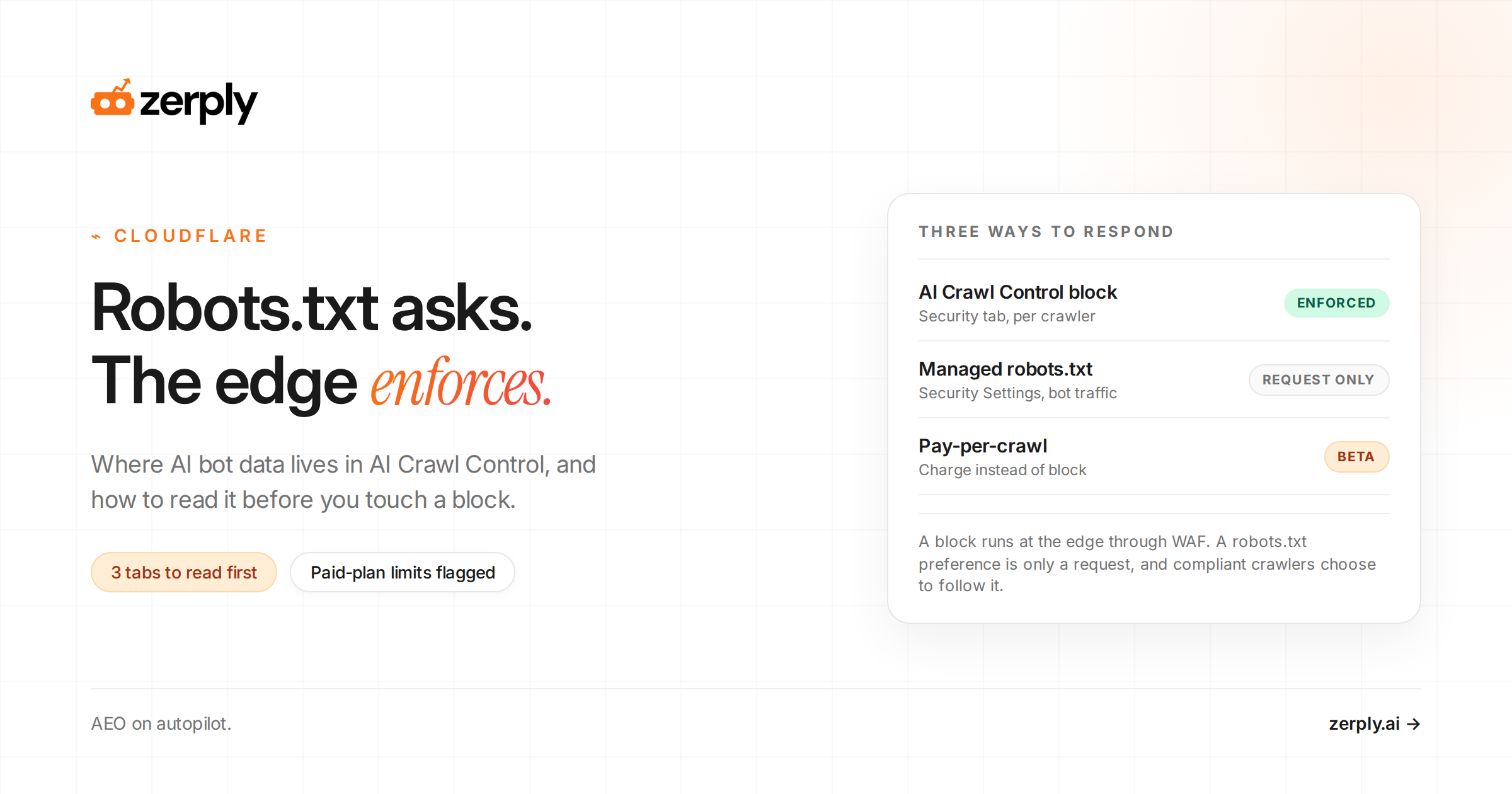
- Robots.txt is not a security control. Non-compliant traffic needs CDN or WAF rules.
The table covers the AI bots from OpenAI, Google, Anthropic, and Perplexity.
| Bot | Operator | Purpose | Follows robots.txt | Cost of blocking |
|---|---|---|---|---|
GPTBot | OpenAI | Training crawler for OpenAI foundation models | Yes | You opt out of that training collection. |
OAI-SearchBot | OpenAI | Search crawler for ChatGPT search features | Yes | Your pages cannot be used for ChatGPT search answers. |
ChatGPT-User | OpenAI | User-initiated page fetches in ChatGPT and Custom GPTs | Robots.txt may not apply | User-requested visits may fail or need server-layer controls instead of robots.txt. |
Google-Extended | Control token, not a standalone crawler, for Gemini training and grounding use of Google-crawled content | Yes, as a robots.txt token | Your content is excluded from that Gemini training and grounding use, with no Google Search ranking cost per Google. | |
GoogleOther | General-purpose crawler for product research and development | Yes | Google loses that crawl access for research and development activity. | |
Google-Agent | User-requested agent traffic on Google infrastructure | Generally no | User-requested agent actions may not retrieve the page, and robots.txt is not the right control. | |
ClaudeBot | Anthropic | Training crawler for Anthropic models | Yes | Anthropic cannot use newly fetched site content for that training flow. |
Claude-SearchBot | Anthropic | Search crawler to improve search response quality | Yes | Your visibility and answer accuracy in Anthropic search experiences may drop. |
Claude-User | Anthropic | User-requested page access in Claude | Yes | Claude cannot retrieve the page on user request, which may reduce user-directed visibility. |
PerplexityBot | Perplexity | Search crawler for Perplexity search results | Yes | Your pages are less likely to surface and link in Perplexity search results. |
Perplexity-User | Perplexity | User-requested page fetches inside Perplexity | Generally no | User-requested fetches may still happen unless you add server-layer controls. |
How do you control OpenAI's crawlers?
You control OpenAI's crawlers by following OpenAI's crawler overview and treating training, search, and user-requested fetching as three separate choices.
If you want to keep ChatGPT search visibility but decline training collection, OpenAI says to block GPTBot and leave OAI-SearchBot available. If you block both, you also remove ChatGPT search retrieval. OpenAI documents ChatGPT-User as supporting user actions rather than automatic crawling, so robots.txt may not apply in the same way.
A simple way to read the three agents is this: GPTBot controls training access, OAI-SearchBot controls search inclusion, and ChatGPT-User covers user-requested fetches. When teams ask how to block AI crawlers, that split matters because one robots txt ai crawlers rule can cut visibility while another only limits future training collection.
Illustrative example:
# Illustrative only: decline training but keep search presence
User-agent: GPTBot
Disallow: /

User-agent: OAI-SearchBot
Allow: /

# Consequence: OpenAI should not use future crawls for GPTBot training, while ChatGPT search can still fetch eligible pages.
If you need more than compliant crawler control, pair the file with monitoring. Zerply's published guides on answer engine optimization and AI referral traffic cover the broader workflow. Internal link placeholder: GPTBot vs OAI-SearchBot vs ChatGPT-User guide.
Make your brand more visible in AI search
Understand where you appear, where competitors win, and what to improve next.
How do you control Google's AI crawlers?
You control Google's AI crawlers by using Google's docs to separate Google Search crawling, Gemini use controls, and user-triggered fetches.
Google says Google-Extended is a control token that manages whether Google-crawled content may be used for Gemini training and grounding. It does not affect Google Search inclusion or ranking. Google also documents GoogleOther as a general-purpose crawler used for product research and development, so block it only if you want to stop that crawl activity.
In practice, this is where many teams overdo block ai crawlers robots txt rules. If your goal is only to limit Gemini training use, Google-Extended is the narrower control. If you also block GoogleOther, you are making a broader crawl decision than most publishers intend.
Google-Agent belongs in the user-triggered bucket. Google's user-triggered fetchers documentation says these fetchers are initiated by users and generally ignore robots.txt rules, so robots.txt is not the right control layer for that traffic.
If your team is testing behavior, remember that Google-InspectionTool is only a testing and inspection fetcher. Google says its crawl preferences affect Search testing tools such as Rich Result Test and URL Inspection, not Google Search itself.
Illustrative example:
# Illustrative only: allow everything
# No AI-specific rules needed.
# Consequence: compliant AI crawlers can fetch any path allowed by your general robots.txt policy.
How do you control Anthropic's crawlers?
You control Anthropic's crawlers by following Anthropic's crawler guidance and setting separate rules for training, search, and user-requested access.
Anthropic documents ClaudeBot, Claude-SearchBot, and Claude-User as distinct agents. Use ClaudeBot for training policy, Claude-SearchBot for search visibility, and Claude-User only when you want to stop Claude from opening a page after a user request.
The cost changes by agent. Blocking ClaudeBot stops future training collection, but it does not remove content from past model training. Blocking Claude-SearchBot can reduce visibility in Anthropic search experiences. Blocking Claude-User stops user-requested page retrieval.
Anthropic also supports the non-standard Crawl-delay extension, which is useful when crawl pace is the problem. It does not publish IP ranges and warns that IP blocks can stop it reading your robots.txt, so the file is the control Anthropic expects you to use. If you are deciding how to block AI crawlers without overblocking, Anthropic is the clearest example of why training, search, and user access should stay separate.
How do you control Perplexity's crawlers?
You control Perplexity's crawlers by following Perplexity's crawler docs and separating PerplexityBot from Perplexity-User.
PerplexityBot is the search crawler. Blocking it lowers your chance of being surfaced and linked in Perplexity results. Perplexity-User supports user actions, is not used for web crawling or model training, and generally ignores robots.txt because the fetch is user-requested.
Perplexity also notes that robots.txt changes may take up to 24 hours to reflect, so do not expect immediate behavior changes during testing.
Which bots ignore robots.txt?
The bots that ignore robots.txt in this guide are user-triggered fetchers, because they open pages on behalf of a person instead of running a normal crawl.
ChatGPT-User, Perplexity-User, and Google's user-triggered fetchers such as Google-Agent generally ignore robots.txt. Google also says Google-Read-Aloud cannot be opted out with robots.txt because it is activated by a user request.
Anthropic is the exception. Claude-User does respect robots.txt, so it is the one user-triggered fetcher in this guide you can control from the file.
That is why a blanket robots.txt block still leaves gaps. It covers compliant crawlers, plus Claude-User, and nothing else that fetches on demand.
Illustrative example:
# Illustrative only: block all compliant AI crawlers
User-agent: GPTBot
Disallow: /

User-agent: OAI-SearchBot
Disallow: /

User-agent: Google-Extended
Disallow: /

User-agent: ClaudeBot
Disallow: /

User-agent: Claude-SearchBot
Disallow: /

User-agent: Claude-User
Disallow: /

User-agent: PerplexityBot
Disallow: /

# Consequence: compliant listed crawlers should stay out, but user-triggered and non-compliant traffic can still reach the site unless you enforce access at the edge.
At the other end, allowing everything needs no AI-specific rules at all. Compliant crawlers fetch whatever your general rules permit.
How do you test your robots.txt rules?
You test your robots.txt rules by checking the live file, validating the intended match for each agent, and confirming the result at the server layer.
A practical workflow looks like this:
- Fetch the live
robots.txtfile from the public root and confirm the syntax is clean. A misspelled user agent, a duplicate group, orAllowon the wrong crawler token can change the rule you thought you shipped. - Test the target path against the intended crawler family. Google tools help with Google behavior, but they do not validate OpenAI, Anthropic, or Perplexity agents.
- Verify claimed bot traffic by published IP ranges or reverse DNS where the operator provides that method. For Google traffic, use Google's verification guidance before trusting the header alone. Anthropic does not publish IP ranges, so its traffic can only be judged by user agent and behavior.
- Watch server-layer logs after rollout. Some operators take time to reflect the change, and user-triggered fetchers may still appear even when compliant crawlers stop.
Illustrative example, not observed data.
Current file with the mistake:
User-agent: GPTBot
Disallow: /

User-agent: OAI-SearchBot
Disallow: /

User-agent: Google-Extended
Disallow: /

User-agent: PerplexityBot
Disallow: /
Corrected version:
User-agent: GPTBot
Disallow: /

User-agent: OAI-SearchBot
Allow: /

User-agent: Google-Extended
Disallow: /

User-agent: ClaudeBot
Disallow: /

User-agent: PerplexityBot
Allow: /
What the mistake was costing: the fictional site meant to decline training-related use, but it also shut off OpenAI and Perplexity search retrieval. That reduced its chance of being surfaced and linked in those answer experiences without adding protection against user-triggered fetches. It also left ClaudeBot allowed.
To confirm which AI bots actually reach which pages at the server layer, use Zerply's AI Traffic Analytics. If you also want to measure downstream answer visibility, read our guide on AI search prompt tracking and measureing brand visibility in LLM search.
Conclusion
The safest way to manage robots.txt for AI crawlers is to make three separate decisions. Decide what you want to do about training crawlers, what you want to do about search crawlers, and what you want to do about user-triggered fetchers.
Then check the real traffic as well as the file. To confirm the cost you chose matches what you see, Zerply's AI Traffic Analytics shows which AI bots actually reach which pages.
See how your brand shows up in AI search
Track visibility, citations, prompts, and competitors across leading AI platforms.
Frequently asked questions
Where should robots.txt live for these AI crawler rules to work?
Place the file at the root of the host you want to control, such as https://example.com/robots.txt. If you use multiple subdomains, each subdomain needs its own file.
How quickly do robots.txt changes take effect for AI crawlers?
It depends on the operator and the crawler. OpenAI and Perplexity both note that changes can take about 24 hours to reflect, so test over time instead of expecting instant behavior changes.
Should I verify AI bots by IP address or reverse DNS?
Yes. User-agent strings alone are easy to spoof, so treat IP verification as part of your rollout and monitoring process whenever the operator publishes verification guidance.
Does Crawl-delay work for every AI crawler?
No. Anthropic explicitly documents support for Crawl-delay, but you should not assume other operators will honor it unless their documentation says so.
Written by
Founder at Zerply.ai & Wittypen
Anshul is the founder of Zerply.ai and previously built Wittypen, a content marketplace powering SEO growth for 1,000+ businesses. Over the last decade he has worked hands-on with B2B SaaS and tech teams to turn search data into compounding organic growth. At Zerply he shares practical playbooks on AEO, AI visibility, and modern SEO that come directly from experiments, wins, and failures in real projects.